Skip to content
Audit Complete

Results for https://academic.ru

Visit site
RU · RUB (₽) · Estimated Dev cost: ₽3,500/hr How jurisdiction is detected
Spain Spain · Madrid Completed: Apr 22, 2026 22:24 UTC
Download JSON Download Markdown Report

Mobile 375 × 812

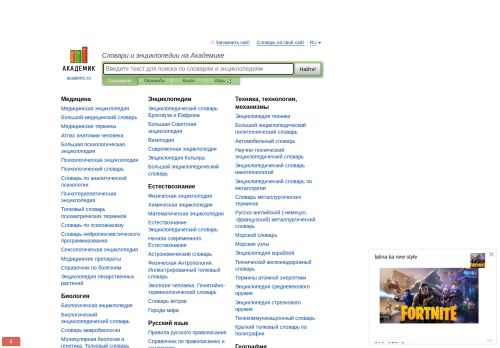
Screenshot of the audited page (Mobile 375×812)

Desktop 1440 × 900

Screenshot of the audited page (Desktop 1440×900)
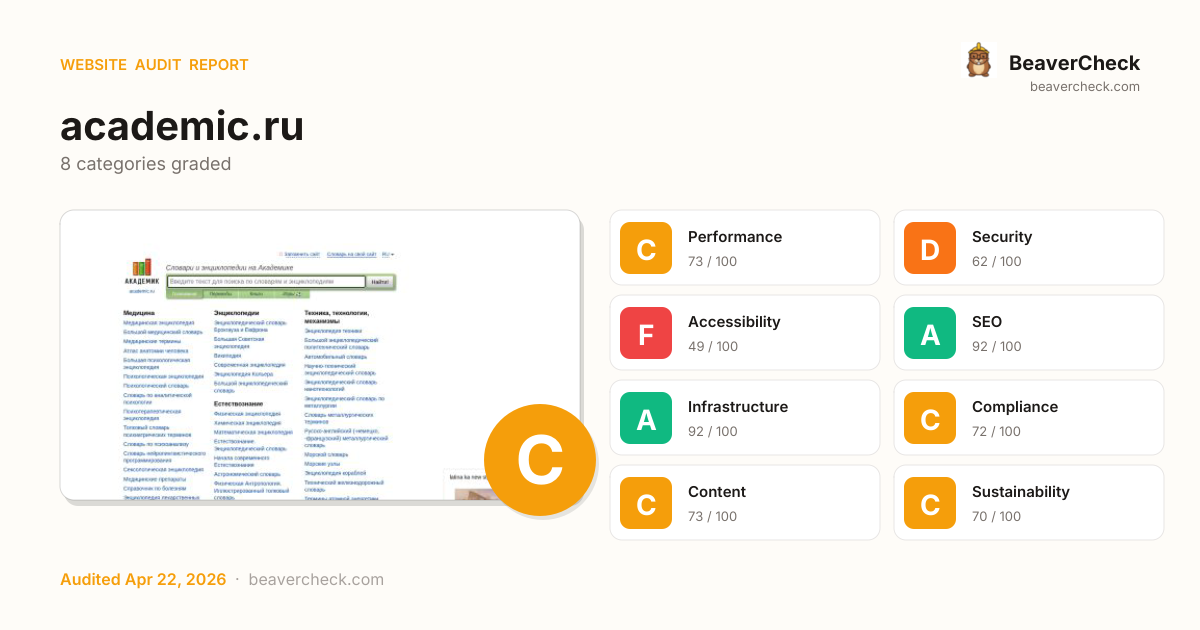
C70

Site Health

Score: 70 / 100

Based on 8 categories, 0 sections

Decent speed, but optimizing further could improve engagement.

Several missing protections leave your users and data exposed.

Major barriers for users with disabilities — up to 15% of your audience.

Well-optimized for search — your content is discoverable.

Solid infrastructure — fast server responses across the board.

Mostly compliant — a few items need attention.

Good content signals with minor gaps.

Reasonable footprint with room for optimization.

How is this calculated?

The overall score is a weighted average of individual category scores. Categories with more impact on user experience and security carry more weight.

Performance 25%Security 25%Accessibility 15%SEO 10%Infrastructure 10%Compliance 8%Content 5%Sustainability 2%

Weights reflect general web best practices. Individual needs may differ.

How the composite score is calculated

How you compare

Babel · 97 peers
You 70
·
Avg 70
At average
0 50 100
Better than 27% of Babel sites See full Babel benchmark →
core-js · 1488 peers
You 70
·
Avg 72
At average
0 50 100
Better than 14% of core-js sites See full core-js benchmark →

Top Priorities (5)

1

Content-Security-Policy header is missing

Security gaps expose your site and users to attacks, eroding trust.

Security › Security Headers
2

No Content-Security-Policy header found

Security gaps expose your site and users to attacks, eroding trust.

Security › Content Security Policy
3

2 control(s) without accessible label

Accessibility issues exclude users with disabilities — up to 15% of your potential audience.

Accessibility › Form Accessibility
4

2 link(s) with no accessible text

Accessibility issues exclude users with disabilities — up to 15% of your potential audience.

Accessibility › Link & Button Quality
5

No <main> landmark found

Accessibility issues exclude users with disabilities — up to 15% of your potential audience.

Accessibility › Landmark Structure
View fix priority matrix

Fix Priority Matrix

5 findings

Quick Wins

2

High impact, low effort — start here.

Strategic

3

High impact, requires investment.

Easy Improvements

0

Small gains, minimal effort.

Nothing in this quadrant — good news.

Deprioritize

0

Low impact, high effort — do last.

Nothing in this quadrant — good news.

← Low effort High effort →
BeaverCheck badge
Embed this badge
[![BeaverCheck](https://beavercheck.com/badge?url=https%3A%2F%2Facademic.ru)](https://beavercheck.com/results/3e7fac95-717f-4a66-8f33-c640de496d79)
<a href="https://beavercheck.com/results/3e7fac95-717f-4a66-8f33-c640de496d79"><img src="https://beavercheck.com/badge?url=https%3A%2F%2Facademic.ru" alt="BeaverCheck Score"></a>
https://beavercheck.com/badge?url=https%3A%2F%2Facademic.ru

This badge auto-updates with your latest scan result.

What fixing these means

Your site performs reasonably well, but a few targeted fixes could meaningfully improve results. Accessibility issues exclude users who rely on assistive technology — an estimated 15% of your potential audience. Addressing the critical issues below would have the most immediate impact on your user trust.

2 security gaps detected — browsers may warn visitors about your site.
3 accessibility issues exclude users who rely on assistive technology.

Conversion Barriers

3 critical 4 warning

7 barrier(s) likely increasing bounce by ~32%.

Speed (2)

Page takes 20.0s to load

+12% bounce

Users abandon at ~3s — you're 17.5s over the 2.5s threshold

Fix: Optimize render-blocking resources, preload the hero image, and compress images

Page feels frozen for 1.5s

+5% bounce

Clicks on the primary CTA are ignored while JavaScript runs

Fix: Break up long tasks; defer non-critical JavaScript to post-hydration

Trust (1)

No Content-Security-Policy header

+1% bounce

Higher XSS blast radius — one compromised script can exfiltrate the checkout form

Fix: Ship a reporting-only CSP first, then enforce once violations are clean

Usability (1)

2 form field(s) without a label

+4% bounce

Screen readers skip unlabeled fields; autofill can't identify them; checkout abandonment spikes

Fix: Associate every input with a visible <label for="…">; add autocomplete attributes

Content (1)

No structured data

+2% bounce

No rich-result eligibility in Google — lower SERP CTR vs competitors with stars and prices

Fix: Add JSON-LD for your page type (Product, Article, FAQPage, LocalBusiness, …)

Navigation (2)

No skip-to-content link

+1% bounce

Keyboard and screen-reader users must tab through the entire header on every page

Fix: Add a visible-on-focus <a href="#main">Skip to content</a> as the first focusable element

148 broken link(s) on the page

+5% bounce

Clicks land on 404s — trust drops and the session often ends

Fix: Fix or remove the broken destinations surfaced on the Content tab

Preliminary CRO audit — each barrier links to the tab with detailed analysis.

Return on Investment

₽19,250 investment → ₽47/month returns

Payback period: > 2 years First-year ROI: -97%

Investment

₽19,250

6h · 5 findings

Monthly returns

₽47 /mo

~₽568 / year

  • Bandwidth savings ₽47

Regulatory risk avoided

No applicable regulations in this jurisdiction

₽3,500 — in quick wins — start here for the fastest payback

Figures combine localized regulatory fine ceilings, search/conversion value priced against local CPC, and bandwidth waste estimates. Results depend on implementation quality and audience composition. Not legal or financial advice.

Full methodology & sources

Estimated Remediation Cost

₽19,250

5.5 developer hours at ₽3500/hr

Based on Russia rates (₽3500/hr)

Quick wins
₽3,500 2 fixes in ~60 minutes

Start here for the best return on investment

Cost by category

Cost by effort level

Adjust assumptions
/hr

Rates reflect fully-loaded developer cost including overhead

How developer rates are sourced

What Inaction Is Costing You

₽47 / month at risk

~₽568 / year if left unfixed

Bandwidth Waste

₽47 /mo

6506.9 MB/mo × 7.273 RUB/GB

  • Optimize transfer: save ~651 KB per page load
    Saves ₽47/mo

Compliance figures represent the statutory maximum fine for the most severe triggered category, capped per regulation — not the sum of per-finding penalties. Based on published regulatory fine ranges. This is not legal advice.

Compliance methodology · SEO assumptions · Bandwidth model

Your performance is already good — improvements may show diminishing returns

Unique monthly visitors from your analytics

Purchases, signups, or key actions

Optional — for revenue estimation

additional conversions/month

more engaged visitors from reduced bounce

potential monthly revenue
Current bounce (est.)
After fixes (est.)
Estimated bounce reduction

Fix 5 critical issues to capture this value

How this is calculated

Based on Google/Deloitte research ("Milliseconds Make Millions") showing a ~7% bounce rate increase per additional second of LCP above the 2.5s "Good" threshold.

Your site's LCP: → estimated after fixes.

These are estimates based on industry research — actual results vary

Bounce-rate model & assumptions

Your data stays in your browser — nothing is sent to our servers

Was this report useful?

Thanks for your feedback!

We'll use a cached audit if available, or offer to scan.

Checking for existing audit...

Lighthouse Scores

Industry-standard audits powered by Google Lighthouse.

40
Performance Overall performance score (0–100) based on Core Web Vitals and other metrics. 90+ is good.
84
Accessibility Measures how accessible the page is for users with disabilities. Checks color contrast, ARIA labels, and semantic HTML.
73
Best Practices Checks for modern web development best practices including HTTPS, no console errors, and secure JavaScript.
100
SEO Measures basic SEO optimizations: meta tags, crawlability, link text, and mobile friendliness.

Core Web Vitals

Key metrics that affect user experience.

First Contentful Paint First Contentful Paint — how long until the browser renders the first piece of content. Under 1.8s is good.

1.26 s

Largest Contentful Paint Largest Contentful Paint — how long until the largest visible element loads. Under 2.5s is good.

20.01 s

Total Blocking Time Total Blocking Time — total time the main thread was blocked, preventing user input. Under 200ms is good.

1.52 s

Cumulative Layout Shift Cumulative Layout Shift — measures visual stability. How much the page layout shifts during loading. Under 0.1 is good.

0.002

Speed Index Speed Index — how quickly content is visually displayed during load. Under 3.4s is good.

9.80 s

Time to Interactive Time to Interactive — how long until the page is fully interactive and responds to user input. Under 3.8s is good.

23.41 s

Detailed Report

Audit breakdown by category with detailed findings.

40

Performance

Insights

Remove large, duplicate JavaScript modules from bundles to reduce unnecessary bytes consumed by network activity.

Why this matters

Performance issues directly impact user engagement and conversion rates.

Polyfills and transforms enable older browsers to use new JavaScript features. However, many aren't necessary for modern browsers. Consider modifying your JavaScript build process to not transpile Baseline features, unless you know you must support older browsers. Learn why most sites can deploy ES6+ code without transpiling

Why this matters

Shipping ES5 transpiled code to modern browsers wastes bytes — every user with an evergreen browser pays for compatibility you don't need.

Learn more

Most users today run browsers that natively support ES6+, async/await, optional chaining, and the rest of modern JavaScript. Transpiling to ES5 'just in case' adds 20-40% to your bundle for no benefit. Configure your build to target a modern browserslist, or ship a differential bundle pair (modern + legacy) with the module/nomodule pattern.

Source: Google web.dev / Lighthouse

3rd party code can significantly impact load performance. Reduce and defer loading of 3rd party code to prioritize your page's content.

Why this matters

Performance issues directly impact user engagement and conversion rates.

A long cache lifetime can speed up repeat visits to your page. Learn more about caching.

Why this matters

Performance issues directly impact user engagement and conversion rates.

RequestCache TTLTransfer Size
ads.digitalcaramel.com/caramel.js?ts=17768965255070.0 ms166.8 KiB
s.luxcdn.com/t/202172/360_light.js300.0 s126.7 KiB
mc.yandex.ru/metrika/tag.js3600.0 s85.4 KiB
ad.mail.ru/static/vk-adman.js?slot=1824555600.0 s70.5 KiB
x01.aidata.io/lib/aidata.fp.latest.js?pixel=08923940.0 ms59.5 KiB
/roxot-wrapper/js/roxot-manager.js?pid=19e08d82-9ec3-4dda...600.0 s61.9 KiB
static.a.mts.ru/id/pixel.js1800.0 s60.1 KiB
privacy-cs.mail.ru/static/sync-loader.js600.0 s21.9 KiB
www.google-analytics.com/analytics.js7200.0 s20.9 KiB
content.adriver.ru/AdRiverFPS.js3600.0 s16.2 KiB
static.kimberlite.io/js/thumbmark.umd.js0.0 ms12.6 KiB
static.kimberlite.io/js/botd.js0.0 ms8.0 KiB
abt.s3.yandex.net/expjs/latest/exp.js0.0 ms6.4 KiB
ad.mail.ru/static/render-runner.js600.0 s5.7 KiB
www.acint.net/aci.js43200.0 s8.9 KiB
acint.net/aci.js43200.0 s8.9 KiB
tube.buzzoola.com/js/lib/buzzoola_ufp.js2226.0 s4.8 KiB
tube.buzzoola.com//js/lib/buzzoola_ufp.js2226.0 s4.8 KiB
sb.scorecardresearch.com/beacon.js86400.0 s6.7 KiB
cdn-rtb.sape.ru/js/uids.js86400.0 s6.7 KiB
dic.academic.ru/images/sprites.png?150326864000.0 s15.4 KiB
academic.ru/js/academic.min.js?1503241209600.0 s12.7 KiB
/wrapper/js/rp-core-engine.js?v=s-dc1af2de-5f10-4ef6-a4db...345600.0 s3.7 KiB
tube.buzzoola.com/js/lib/buzzoola_ext.js2226.0 s773 B
academic.ru/css/academic_v2.css?20210501a1209600.0 s6.3 KiB
/favicon/lex-group-tekhnika-dlya-doma.clients.site?size=3...43200.0 s1.2 KiB
/awg/custom/119/i/i?call_source=awg&ts=1776896528440&i=17...0.0 ms513 B
cmr.bidderstack.com/yandex/cm?user_id=0.0 ms271 B
sync.gonet-ads.com/match/yandex?id=%5BbuyerUid%5D&chk=10.0 ms229 B
/server_match?partner_id=N&r=https%3A%2F%2Fyandex.ru%2Fan...0.0 ms199 B
nr.bidderstack.com/yandex/cm?user_id={partner_user_id}0.0 ms181 B
dic.academic.ru/images/sprites_flags.png?150326864000.0 s1.6 KiB
sync.opendsp.ru/match/sp.img?chk=10.0 ms157 B
mc.yandex.com/metrika/advert.gif?t=gdpr(14)ti(4)3600.0 s187 B
academic.ru/images/Logo.png864000.0 s1.5 KiB
academic.ru/images/Logo_h.png864000.0 s1.4 KiB
sync.digitalcaramel.com/match/sp?chk=10.0 ms133 B
px.arcspire.io/yndx?id=9d4cd41a-f59d-4815-8a89-9d30806f53890.0 ms124 B
ssp.adriver.ru/cgi-bin/sync.cgi?ssp_id=190.0 ms101 B
ssp.adriver.ru/cgi-bin/sync.cgi?dsp_id=1090.0 ms100 B
/sync_cookie_image_decide_secondary?cid=70309897&scid=122...0.0 ms79 B
/sync_cookie_image_decide?cid=70309897&scid=b49a3d0c-221c...0.0 ms67 B
academic.ru/css/mobile-menu.css?201908101209600.0 s624 B
static.a.mts.ru/id/pixel.js1800.0 s0 B
x01.aidata.io/lib/aidata.fp.latest.js?pixel=08923940.0 ms0 B

Reducing the download time of images can improve the perceived load time of the page and LCP. Learn more about optimizing image size

Why this matters

Performance issues directly impact user engagement and conversion rates.

URLResource SizeEst Savings
div.t2ebeb1ce > div.kc223781a > div.d3bed6466 > img.o24ecf12e div.t2ebeb1ce > div.kc223781a > div.d3bed6466 > img.o24ecf12e
/get-yabs_performance/15050859/hat65af4c5df305cc0c8b11f8b...29.6 KiB5.7 KiB
div.t2ebeb1ce > div.kc223781a > div.d3bed6466 > img.o24ecf12e div.t2ebeb1ce > div.kc223781a > div.d3bed6466 > img.o24ecf12e
/get-yabs_performance/1715965/hat14ec5728b52a49b19b269e67...28.6 KiB5.5 KiB
div.t2ebeb1ce > div.kc223781a > div.d3bed6466 > img.o24ecf12e div.t2ebeb1ce > div.kc223781a > div.d3bed6466 > img.o24ecf12e
/get-yabs_performance/14192306/hatd53b581c9bf25896a80fab4...24.3 KiB4.7 KiB
div.t2ebeb1ce > div.kc223781a > div.d3bed6466 > img.o24ecf12e div.t2ebeb1ce > div.kc223781a > div.d3bed6466 > img.o24ecf12e
/get-yabs_performance/10464719/hat4eab44cd6482ee927f25d04...21.8 KiB4.2 KiB
div.t2ebeb1ce > div.kc223781a > div.d3bed6466 > img.o24ecf12e div.t2ebeb1ce > div.kc223781a > div.d3bed6466 > img.o24ecf12e
/get-yabs_performance/8213184/hatf08860a1b8ed704071d2e6e1...21.2 KiB4.1 KiB

Each subpart has specific improvement strategies. Ideally, most of the LCP time should be spent on loading the resources, not within delays.

Why this matters

Performance issues directly impact user engagement and conversion rates.

headings: [map[key:label label:Subpart valueType:text] map[key:duration label:Duration valueType:ms]]
items: [map[duration:308.013 label:Time to first byte subpart:timeToFirstByte] map[duration:2256.512 label:Resource load delay subpart:resourceLoadDelay] map[duration:282.615 label:Resource load duration subpart:resourceLoadDuration] map[duration:37.325 label:Element render delay subpart:elementRenderDelay]]
lhId: page-3-IMG
nodeLabel: div.t2ebeb1ce > div.kc223781a > div.d3bed6466 > img.o24ecf12e
path: 1,HTML,1,BODY,34,DIV,0,DIV,0,DIV,2,DIV,0,DIV,0,DIV,a,#document-fragment,0,DIV,2,DIV,0,DIV,0,DIV,0,DIV,0,DIV,1,DIV,0,DIV,0,DIV,0,DIV,0,DIV,0,DIV,0,DIV,0,DIV,0,A,0,DIV,0,DIV,0,DIV,0,IMG
selector: div.t2ebeb1ce > div.kc223781a > div.d3bed6466 > img.o24ecf12e
snippet: <img data-name="adaptiveImage" src="https://avatars.mds.yandex.net/get-yabs_performance/10464719/hat4eab44cd64…" elementtiming="tgo-ssr-image" class="o24ecf12e">

Optimize LCP by making the LCP image discoverable from the HTML immediately, and avoiding lazy-loading

Why this matters

Performance issues directly impact user engagement and conversion rates.

lhId: page-3-IMG
nodeLabel: div.t2ebeb1ce > div.kc223781a > div.d3bed6466 > img.o24ecf12e
path: 1,HTML,1,BODY,34,DIV,0,DIV,0,DIV,2,DIV,0,DIV,0,DIV,a,#document-fragment,0,DIV,2,DIV,0,DIV,0,DIV,0,DIV,0,DIV,1,DIV,0,DIV,0,DIV,0,DIV,0,DIV,0,DIV,0,DIV,0,DIV,0,A,0,DIV,0,DIV,0,DIV,0,IMG
selector: div.t2ebeb1ce > div.kc223781a > div.d3bed6466 > img.o24ecf12e
snippet: <img data-name="adaptiveImage" src="https://avatars.mds.yandex.net/get-yabs_performance/10464719/hat4eab44cd64…" elementtiming="tgo-ssr-image" class="o24ecf12e">

Avoid chaining critical requests by reducing the length of chains, reducing the download size of resources, or deferring the download of unnecessary resources to improve page load.

Why this matters

Performance issues directly impact user engagement and conversion rates.

description: [preconnect](https://developer.chrome.com/docs/lighthouse/performance/uses-rel-preconnect/) hints help the browser establish a connection earlier in the page load, saving time when the first request for that origin is made. The following are the origins that the page preconnected to.
title: Preconnected origins
description: Add [preconnect](https://developer.chrome.com/docs/lighthouse/performance/uses-rel-preconnect/) hints to your most important origins, but try to use no more than 4.
title: Preconnect candidates

These insights are also available in the Chrome DevTools Performance Panel - record a trace to view more detailed information.

The maximum potential First Input Delay that your users could experience is the duration of the longest task. Learn more about the Maximum Potential First Input Delay metric.

Why this matters

Performance issues directly impact user engagement and conversion rates.

Time to Interactive is the amount of time it takes for the page to become fully interactive. Learn more about the Time to Interactive metric.

Why this matters

Performance issues directly impact user engagement and conversion rates.

TTI

Diagnostics

Reduce unused JavaScript and defer loading scripts until they are required to decrease bytes consumed by network activity. Learn how to reduce unused JavaScript.

Why this matters

Multi-megabyte JavaScript bundles delay every interactive feature on the page.

Learn more

This is the Lighthouse audit fired when too much JS is shipped relative to what executes. The fix isn't a config flag — it requires bundle analysis (webpack-bundle-analyzer, rollup-plugin-visualizer), splitting routes into chunks, lazy-loading off-screen components, and removing unused dependencies. Fundamentally different from minification: minifying reduces byte count, this reduces what's downloaded at all.

Source: Google web.dev / Lighthouse

Consider reducing the time spent parsing, compiling, and executing JS. You may find delivering smaller JS payloads helps with this. Learn how to reduce Javascript execution time.

Why this matters

Performance issues directly impact user engagement and conversion rates.

Consider reducing the time spent parsing, compiling and executing JS. You may find delivering smaller JS payloads helps with this. Learn how to minimize main-thread work

Why this matters

Performance issues directly impact user engagement and conversion rates.

CategoryTime Spent
Script Evaluation6.5 s
Other2.3 s
Style & Layout873 ms
Script Parsing & Compilation503 ms
Rendering327 ms
Garbage Collection322 ms
Parse HTML & CSS64 ms

Minifying JavaScript files can reduce payload sizes and script parse time. Learn how to minify JavaScript.

Why this matters

Performance issues directly impact user engagement and conversion rates.

Estimated savings: 0.0 ms 3.0 KiB
URLTransfer SizeEst Savings
static.kimberlite.io/js/botd.js7.7 KiB3.0 KiB

More information about the performance of your application. These numbers don't directly affect the Performance score.

Layout shift culprits
Document request latency
Optimize DOM size
Font display
Forced reflow
Modern HTTP
Render blocking requests
Optimize viewport for mobile
Minify CSS
Reduce unused CSS
Avoids enormous network payloads Total size was 2,118 KiB
User Timing marks and measures 5 user timings
Avoid long main-thread tasks 20 long tasks found
Image elements have explicit `width` and `height`
Page didn't prevent back/forward cache restoration
Network Requests
Network Round Trip Times 80 ms
Server Backend Latencies 390 ms
Tasks
Diagnostics
Metrics
Screenshot Thumbnails
Final Screenshot
Script Treemap Data
Resources Summary
Avoid multiple page redirects
Initial server response time was short Root document took 170 ms
Avoid large layout shifts 1 layout shift found
INP breakdown
Avoid non-composited animations
84

Accessibility

These checks highlight opportunities to improve the accessibility of your web app. Automatic detection can only detect a subset of issues and does not guarantee the accessibility of your web app, so manual testing is also encouraged.

Names and labels

Screen reader users rely on frame titles to describe the contents of frames. Learn more about frame titles.

Why this matters

Performance issues directly impact user engagement and conversion rates.

Failing Elements
body > iframe body > iframe

Link text (and alternate text for images, when used as links) that is discernible, unique, and focusable improves the navigation experience for screen reader users. Learn how to make links accessible.

Why this matters

Performance issues directly impact user engagement and conversion rates.

Failing Elements
div#page > div#footer > div#liveinternet > a div#page > div#footer > div#liveinternet > a

These are opportunities to improve the semantics of the controls in your application. This may enhance the experience for users of assistive technology, like a screen reader.

Tables and lists

Screen readers have a specific way of announcing lists. Ensuring proper list structure aids screen reader output. Learn more about proper list structure.

Why this matters

Performance issues directly impact user engagement and conversion rates.

Failing Elements
Правила русского правописания Справочник по правописанию и стилистике Словарь-с… div#content > div#diclist > div.column > ul

These are opportunities to improve the experience of reading tabular or list data using assistive technology, like a screen reader.

Interactive controls are keyboard focusable
Interactive elements indicate their purpose and state
The page has a logical tab order
Visual order on the page follows DOM order
User focus is not accidentally trapped in a region
The user's focus is directed to new content added to the page
HTML5 landmark elements are used to improve navigation
Offscreen content is hidden from assistive technology
Custom controls have associated labels
Custom controls have ARIA roles
`[aria-hidden="true"]` is not present on the document `<body>`
Buttons have an accessible name
Image elements have `[alt]` attributes
Form elements have associated labels
`[user-scalable="no"]` is not used in the `<meta name="viewport">` element and the `[maximum-scale]` attribute is not less than 5.
Background and foreground colors have a sufficient contrast ratio
Document has a `<title>` element
`<html>` element has a `[lang]` attribute
`<html>` element has a valid value for its `[lang]` attribute
List items (`<li>`) are contained within `<ul>`, `<ol>` or `<menu>` parent elements
No element has a `[tabindex]` value greater than 0
Touch targets have sufficient size and spacing.
Cells in a `<table>` element that use the `[headers]` attribute refer to table cells within the same table.
Heading elements appear in a sequentially-descending order
Document has a main landmark.
Image elements do not have `[alt]` attributes that are redundant text.
`[accesskey]` values are unique
`[aria-*]` attributes match their roles
`button`, `link`, and `menuitem` elements have accessible names
ARIA attributes are used as specified for the element's role
Deprecated ARIA roles were not used
Elements with `role="dialog"` or `role="alertdialog"` have accessible names.
`[aria-hidden="true"]` elements do not contain focusable descendents
ARIA input fields have accessible names
ARIA `meter` elements have accessible names
ARIA `progressbar` elements have accessible names
Elements use only permitted ARIA attributes
`[role]`s have all required `[aria-*]` attributes
Elements with an ARIA `[role]` that require children to contain a specific `[role]` have all required children.
`[role]`s are contained by their required parent element
`[role]` values are valid
Elements with the `role=text` attribute do not have focusable descendents.
ARIA toggle fields have accessible names
ARIA `tooltip` elements have accessible names
ARIA `treeitem` elements have accessible names
`[aria-*]` attributes have valid values
`[aria-*]` attributes are valid and not misspelled
The page contains a heading, skip link, or landmark region
`<dl>`'s contain only properly-ordered `<dt>` and `<dd>` groups, `<script>`, `<template>` or `<div>` elements.
Definition list items are wrapped in `<dl>` elements
ARIA IDs are unique
No form fields have multiple labels
`<html>` element has an `[xml:lang]` attribute with the same base language as the `[lang]` attribute.
Input buttons have discernible text.
`<input type="image">` elements have `[alt]` text
Links are distinguishable without relying on color.
The document does not use `<meta http-equiv="refresh">`
`<object>` elements have alternate text
Select elements have associated label elements.
Skip links are focusable.
`<th>` elements and elements with `[role="columnheader"/"rowheader"]` have data cells they describe.
`[lang]` attributes have a valid value
`<video>` elements contain a `<track>` element with `[kind="captions"]`
Tables have different content in the summary attribute and `<caption>`.
All heading elements contain content.
Uses ARIA roles only on compatible elements
Identical links have the same purpose.
Elements with visible text labels have matching accessible names.
Tables use `<caption>` instead of cells with the `[colspan]` attribute to indicate a caption.
`<td>` elements in a large `<table>` have one or more table headers.
73

Best Practices

User Experience

Image natural dimensions should be proportional to the display size and the pixel ratio to maximize image clarity. Learn how to provide responsive images.

Why this matters

Performance issues directly impact user engagement and conversion rates.

URLDisplayed sizeActual sizeExpected size
academic.ru div#header > div#logo > a > img.h
academic.ru/images/Logo_h.png144 x 44144 x 44216 x 66

General

Deprecated APIs will eventually be removed from the browser. Learn more about deprecated APIs.

Why this matters

Performance issues directly impact user engagement and conversion rates.

Deprecation / WarningSource
Topics

Errors logged to the console indicate unresolved problems. They can come from network request failures and other browser concerns. Learn more about this errors in console diagnostic audit

Why this matters

Performance issues directly impact user engagement and conversion rates.

SourceDescription
Failed to load resource: net::ERR_TIMED_OUT
Failed to load resource: the server responded with a status of 404 ()
academic.ru/ line 919, col 0
ReferenceError: googletag is not defined at https://academic.ru/:920:1
Uses HTTPS
Avoids third-party cookies
Allows users to paste into input fields
Avoids requesting the geolocation permission on page load
Avoids requesting the notification permission on page load
Displays images with correct aspect ratio
Page has the HTML doctype
Properly defines charset
No issues in the `Issues` panel in Chrome Devtools
Ensure CSP is effective against XSS attacks
Ensure proper origin isolation with COOP
Mitigate DOM-based XSS with Trusted Types
Detected JavaScript libraries
Page has valid source maps
Redirects HTTP traffic to HTTPS
Use a strong HSTS policy
Mitigate clickjacking with XFO or CSP
100

SEO

These checks ensure that your page is following basic search engine optimization advice. There are many additional factors Lighthouse does not score here that may affect your search ranking, including performance on Core Web Vitals. Learn more about Google Search Essentials.

Structured data is valid
Page isn’t blocked from indexing
Document has a `<title>` element
Document has a meta description
Page has successful HTTP status code
Links have descriptive text
Links are crawlable
robots.txt is valid
Image elements have `[alt]` attributes
Document has a valid `hreflang`
Document has a valid `rel=canonical`

Lighthouse Scores

Industry-standard audits powered by Google Lighthouse. — Desktop

68
Performance Overall performance score (0–100) based on Core Web Vitals and other metrics. 90+ is good.
82
Accessibility Measures how accessible the page is for users with disabilities. Checks color contrast, ARIA labels, and semantic HTML.
77
Best Practices Checks for modern web development best practices including HTTPS, no console errors, and secure JavaScript.
92
SEO Measures basic SEO optimizations: meta tags, crawlability, link text, and mobile friendliness.

Core Web Vitals

Key metrics that affect user experience. — Desktop

First Contentful Paint First Contentful Paint — how long until the browser renders the first piece of content. Under 1.8s is good.

561 ms

Largest Contentful Paint Largest Contentful Paint — how long until the largest visible element loads. Under 2.5s is good.

1.19 s

Total Blocking Time Total Blocking Time — total time the main thread was blocked, preventing user input. Under 200ms is good.

150 ms

Cumulative Layout Shift Cumulative Layout Shift — measures visual stability. How much the page layout shifts during loading. Under 0.1 is good.

0.433

Speed Index Speed Index — how quickly content is visually displayed during load. Under 3.4s is good.

2.99 s

Time to Interactive Time to Interactive — how long until the page is fully interactive and responds to user input. Under 3.8s is good.

3.29 s

Detailed Report

Audit breakdown by category with detailed findings.

68

Performance

Insights

Remove large, duplicate JavaScript modules from bundles to reduce unnecessary bytes consumed by network activity.

Why this matters

Performance issues directly impact user engagement and conversion rates.

Polyfills and transforms enable older browsers to use new JavaScript features. However, many aren't necessary for modern browsers. Consider modifying your JavaScript build process to not transpile Baseline features, unless you know you must support older browsers. Learn why most sites can deploy ES6+ code without transpiling

Why this matters

Shipping ES5 transpiled code to modern browsers wastes bytes — every user with an evergreen browser pays for compatibility you don't need.

Learn more

Most users today run browsers that natively support ES6+, async/await, optional chaining, and the rest of modern JavaScript. Transpiling to ES5 'just in case' adds 20-40% to your bundle for no benefit. Configure your build to target a modern browserslist, or ship a differential bundle pair (modern + legacy) with the module/nomodule pattern.

Source: Google web.dev / Lighthouse

3rd party code can significantly impact load performance. Reduce and defer loading of 3rd party code to prioritize your page's content.

Why this matters

Performance issues directly impact user engagement and conversion rates.

A long cache lifetime can speed up repeat visits to your page. Learn more about caching.

Why this matters

Performance issues directly impact user engagement and conversion rates.

RequestCache TTLTransfer Size
ads.digitalcaramel.com/caramel.js?ts=17768965861090.0 ms166.8 KiB
js.mbidinp.com/skins/nmain.m.js300.0 s144.7 KiB
mc.yandex.ru/metrika/tag.js3600.0 s85.4 KiB
js.mbidinp.com/npc/sdk/wpu/npush.m.js300.0 s69.1 KiB
x01.aidata.io/lib/aidata.fp.latest.js?pixel=08923940.0 ms59.5 KiB
static.a.mts.ru/id/pixel.js1800.0 s60.1 KiB
js.mbidadm.com/static/scripts.js300.0 s47.1 KiB
privacy-cs.mail.ru/static/sync-loader.js600.0 s21.9 KiB
cdnrtbsape.ru/js/vast/vpaid-ssp.min.js86400.0 s47.8 KiB
www.google-analytics.com/analytics.js7200.0 s20.9 KiB
content.adriver.ru/AdRiverFPS.js3600.0 s16.2 KiB
static.kimberlite.io/js/thumbmark.umd.js0.0 ms12.6 KiB
static.kimberlite.io/js/botd.js0.0 ms8.0 KiB
/roxot-wrapper/js/roxot-manager.js?pid=19e08d82-9ec3-4dda...600.0 s8.6 KiB
assets.ahmybid.net/7613a052-b5f5-4f9f-942a-01aba386e713.jpg43200.0 s14.1 KiB
abt.s3.yandex.net/expjs/latest/exp.js0.0 ms6.4 KiB
www.acint.net/aci.js43200.0 s8.9 KiB
acint.net/aci.js43200.0 s8.9 KiB
tube.buzzoola.com/js/lib/buzzoola_ufp.js2157.0 s4.8 KiB
tube.buzzoola.com//js/lib/buzzoola_ufp.js2157.0 s4.8 KiB
assets.ahmybid.net/57eeb89c-3a3a-4981-8a6d-970d24be8ac5.jpg43200.0 s6.8 KiB
sb.scorecardresearch.com/beacon.js86400.0 s6.7 KiB
cdn-rtb.sape.ru/js/uids.js86400.0 s6.7 KiB
dic.academic.ru/images/sprites.png?150326864000.0 s15.4 KiB
academic.ru/js/academic.min.js?1503241209600.0 s12.7 KiB
/wrapper/js/rp-core-engine.js?v=s-dc1af2de-5f10-4ef6-a4db...345600.0 s3.7 KiB
tube.buzzoola.com/js/lib/buzzoola_ext.js2157.0 s772 B
academic.ru/css/academic_v2.css?20210501a1209600.0 s6.3 KiB
mc.yandex.com/metrika/advert.gif?t=gdpr(14)ti(4)3600.0 s316 B
dic.academic.ru/images/sprites_flags.png?150326864000.0 s1.6 KiB
sync.opendsp.ru/match/sp.img?chk=10.0 ms157 B
academic.ru/images/Logo.png864000.0 s1.5 KiB
academic.ru/images/Logo_h.png864000.0 s1.4 KiB
sync.digitalcaramel.com/match/sp?chk=10.0 ms133 B
/sync_cookie_image_decide_secondary?cid=70309897&scid=15a...0.0 ms79 B
/sync_cookie_image_decide?cid=70309897&scid=1608550f-cbb9...0.0 ms67 B
academic.ru/css/mobile-menu.css?201908101209600.0 s624 B
static.a.mts.ru/id/pixel.js1800.0 s0 B
x01.aidata.io/lib/aidata.fp.latest.js?pixel=08923940.0 ms0 B
cdnrtbsape.ru/js/vast/vpaid-ssp.min.js86400.0 s0 B
www.acint.net/aci.js43200.0 s0 B

Layout shifts occur when elements move absent any user interaction. Investigate the causes of layout shifts, such as elements being added, removed, or their fonts changing as the page loads.

Why this matters

Performance issues directly impact user engagement and conversion rates.

headings: [map[key:node label:Element subItemsHeading:map[key:extra] valueType:node] map[granularity:0.001 key:score label:Layout shift score subItemsHeading:map[key:cause valueType:text] valueType:numeric]]
items: [map[node:map[type:text value:Total] score:0.433098] map[node:map[boundingRect:map[bottom:774 height:490 left:165 right:385 top:284 width:220] lhId:page-1-UL nodeLabel:Медицинская энциклопедия Большой медицинский словарь Медицинские термины Атлас … path:1,HTML,1,BODY,1,DIV,2,DIV,0,DIV,1,DIV,1,UL selector:div#content > div#diclist > div.column > ul snippet:<ul> type:node] score:0.433098]]

Avoid chaining critical requests by reducing the length of chains, reducing the download size of resources, or deferring the download of unnecessary resources to improve page load.

Why this matters

Performance issues directly impact user engagement and conversion rates.

description: [preconnect](https://developer.chrome.com/docs/lighthouse/performance/uses-rel-preconnect/) hints help the browser establish a connection earlier in the page load, saving time when the first request for that origin is made. The following are the origins that the page preconnected to.
title: Preconnected origins
description: Add [preconnect](https://developer.chrome.com/docs/lighthouse/performance/uses-rel-preconnect/) hints to your most important origins, but try to use no more than 4.
title: Preconnect candidates

Reducing the download time of images can improve the perceived load time of the page and LCP. Learn more about optimizing image size

Why this matters

Performance issues directly impact user engagement and conversion rates.

URLResource SizeEst Savings
latina ka new style body > div.f2dD3zSK_nwV685NTQBQ > div.gSPZ4JykommM8jYG8Zck > img.f1dg4DSssPPtX9CCBMLQ
assets.ahmybid.net/7613a052-b5f5-4f9f-942a-01aba386e713.jpg13.8 KiB7.3 KiB

These insights are also available in the Chrome DevTools Performance Panel - record a trace to view more detailed information.

These are the largest layout shifts observed on the page. Each table item represents a single layout shift, and shows the element that shifted the most. Below each item are possible root causes that led to the layout shift. Some of these layout shifts may not be included in the CLS metric value due to windowing. Learn how to improve CLS

Why this matters

Performance issues directly impact user engagement and conversion rates.

ElementLayout shift score
Медицинская энциклопедия Большой медицинский словарь Медицинские термины Атлас … div#content > div#diclist > div.column > ul
0.433

The maximum potential First Input Delay that your users could experience is the duration of the longest task. Learn more about the Maximum Potential First Input Delay metric.

Why this matters

Performance issues directly impact user engagement and conversion rates.

Time to Interactive is the amount of time it takes for the page to become fully interactive. Learn more about the Time to Interactive metric.

Why this matters

Performance issues directly impact user engagement and conversion rates.

TTI

Diagnostics

Consider reducing the time spent parsing, compiling, and executing JS. You may find delivering smaller JS payloads helps with this. Learn how to reduce Javascript execution time.

Why this matters

Performance issues directly impact user engagement and conversion rates.

Consider reducing the time spent parsing, compiling and executing JS. You may find delivering smaller JS payloads helps with this. Learn how to minimize main-thread work

Why this matters

Performance issues directly impact user engagement and conversion rates.

CategoryTime Spent
Script Evaluation2.2 s
Other1.5 s
Style & Layout369 ms
Script Parsing & Compilation157 ms
Rendering111 ms
Garbage Collection82 ms
Parse HTML & CSS20 ms

Minifying JavaScript files can reduce payload sizes and script parse time. Learn how to minify JavaScript.

Why this matters

Performance issues directly impact user engagement and conversion rates.

Estimated savings: 0.0 ms 3.0 KiB
URLTransfer SizeEst Savings
static.kimberlite.io/js/botd.js7.7 KiB3.0 KiB

Reduce unused JavaScript and defer loading scripts until they are required to decrease bytes consumed by network activity. Learn how to reduce unused JavaScript.

Why this matters

Multi-megabyte JavaScript bundles delay every interactive feature on the page.

Learn more

This is the Lighthouse audit fired when too much JS is shipped relative to what executes. The fix isn't a config flag — it requires bundle analysis (webpack-bundle-analyzer, rollup-plugin-visualizer), splitting routes into chunks, lazy-loading off-screen components, and removing unused dependencies. Fundamentally different from minification: minifying reduces byte count, this reduces what's downloaded at all.

Source: Google web.dev / Lighthouse

More information about the performance of your application. These numbers don't directly affect the Performance score.

Document request latency
Optimize DOM size
Font display
Forced reflow
LCP breakdown
Modern HTTP
Render blocking requests
Optimize viewport for mobile
Minify CSS
Reduce unused CSS
Avoids enormous network payloads Total size was 1,773 KiB
User Timing marks and measures 5 user timings
Avoid long main-thread tasks 1 long task found
Image elements have explicit `width` and `height`
Page didn't prevent back/forward cache restoration
Network Requests
Network Round Trip Times 110 ms
Server Backend Latencies 300 ms
Tasks
Diagnostics
Metrics
Screenshot Thumbnails
Final Screenshot
Script Treemap Data
Resources Summary
Avoid multiple page redirects
Initial server response time was short Root document took 170 ms
INP breakdown
LCP request discovery
Avoid non-composited animations
82

Accessibility

These checks highlight opportunities to improve the accessibility of your web app. Automatic detection can only detect a subset of issues and does not guarantee the accessibility of your web app, so manual testing is also encouraged.

Names and labels

Screen reader users rely on frame titles to describe the contents of frames. Learn more about frame titles.

Why this matters

Performance issues directly impact user engagement and conversion rates.

Failing Elements
body > iframe body > iframe

Link text (and alternate text for images, when used as links) that is discernible, unique, and focusable improves the navigation experience for screen reader users. Learn how to make links accessible.

Why this matters

Performance issues directly impact user engagement and conversion rates.

Failing Elements
div#page > div#footer > div#liveinternet > a div#page > div#footer > div#liveinternet > a

These are opportunities to improve the semantics of the controls in your application. This may enhance the experience for users of assistive technology, like a screen reader.

Tables and lists

Screen readers have a specific way of announcing lists. Ensuring proper list structure aids screen reader output. Learn more about proper list structure.

Why this matters

Performance issues directly impact user engagement and conversion rates.

Failing Elements
Правила русского правописания Справочник по правописанию и стилистике Словарь-с… div#content > div#diclist > div.column > ul

These are opportunities to improve the experience of reading tabular or list data using assistive technology, like a screen reader.

Best practices

One main landmark helps screen reader users navigate a web page. Learn more about landmarks.

Why this matters

Performance issues directly impact user engagement and conversion rates.

Failing Elements
html html

These items highlight common accessibility best practices.

Interactive controls are keyboard focusable
Interactive elements indicate their purpose and state
The page has a logical tab order
Visual order on the page follows DOM order
User focus is not accidentally trapped in a region
The user's focus is directed to new content added to the page
HTML5 landmark elements are used to improve navigation
Offscreen content is hidden from assistive technology
Custom controls have associated labels
Custom controls have ARIA roles
`[aria-hidden="true"]` is not present on the document `<body>`
Buttons have an accessible name
Image elements have `[alt]` attributes
Form elements have associated labels
`[user-scalable="no"]` is not used in the `<meta name="viewport">` element and the `[maximum-scale]` attribute is not less than 5.
Background and foreground colors have a sufficient contrast ratio
Document has a `<title>` element
`<html>` element has a `[lang]` attribute
`<html>` element has a valid value for its `[lang]` attribute
Links are distinguishable without relying on color.
List items (`<li>`) are contained within `<ul>`, `<ol>` or `<menu>` parent elements
Touch targets have sufficient size and spacing.
Cells in a `<table>` element that use the `[headers]` attribute refer to table cells within the same table.
Heading elements appear in a sequentially-descending order
Image elements do not have `[alt]` attributes that are redundant text.
`[accesskey]` values are unique
`[aria-*]` attributes match their roles
`button`, `link`, and `menuitem` elements have accessible names
ARIA attributes are used as specified for the element's role
Deprecated ARIA roles were not used
Elements with `role="dialog"` or `role="alertdialog"` have accessible names.
`[aria-hidden="true"]` elements do not contain focusable descendents
ARIA input fields have accessible names
ARIA `meter` elements have accessible names
ARIA `progressbar` elements have accessible names
Elements use only permitted ARIA attributes
`[role]`s have all required `[aria-*]` attributes
Elements with an ARIA `[role]` that require children to contain a specific `[role]` have all required children.
`[role]`s are contained by their required parent element
`[role]` values are valid
Elements with the `role=text` attribute do not have focusable descendents.
ARIA toggle fields have accessible names
ARIA `tooltip` elements have accessible names
ARIA `treeitem` elements have accessible names
`[aria-*]` attributes have valid values
`[aria-*]` attributes are valid and not misspelled
The page contains a heading, skip link, or landmark region
`<dl>`'s contain only properly-ordered `<dt>` and `<dd>` groups, `<script>`, `<template>` or `<div>` elements.
Definition list items are wrapped in `<dl>` elements
ARIA IDs are unique
No form fields have multiple labels
`<html>` element has an `[xml:lang]` attribute with the same base language as the `[lang]` attribute.
Input buttons have discernible text.
`<input type="image">` elements have `[alt]` text
The document does not use `<meta http-equiv="refresh">`
`<object>` elements have alternate text
Select elements have associated label elements.
Skip links are focusable.
No element has a `[tabindex]` value greater than 0
`<th>` elements and elements with `[role="columnheader"/"rowheader"]` have data cells they describe.
`[lang]` attributes have a valid value
`<video>` elements contain a `<track>` element with `[kind="captions"]`
Tables have different content in the summary attribute and `<caption>`.
All heading elements contain content.
Uses ARIA roles only on compatible elements
Identical links have the same purpose.
Elements with visible text labels have matching accessible names.
Tables use `<caption>` instead of cells with the `[colspan]` attribute to indicate a caption.
`<td>` elements in a large `<table>` have one or more table headers.
77

Best Practices

General

Deprecated APIs will eventually be removed from the browser. Learn more about deprecated APIs.

Why this matters

Performance issues directly impact user engagement and conversion rates.

Deprecation / WarningSource
Topics

Errors logged to the console indicate unresolved problems. They can come from network request failures and other browser concerns. Learn more about this errors in console diagnostic audit

Why this matters

Performance issues directly impact user engagement and conversion rates.

SourceDescription
academic.ru/ line 959, col 0
ReferenceError: googletag is not defined at https://academic.ru/:960:1
Uses HTTPS
Avoids third-party cookies
Allows users to paste into input fields
Avoids requesting the geolocation permission on page load
Avoids requesting the notification permission on page load
Displays images with correct aspect ratio
Serves images with appropriate resolution
Page has the HTML doctype
Properly defines charset
No issues in the `Issues` panel in Chrome Devtools
Ensure CSP is effective against XSS attacks
Ensure proper origin isolation with COOP
Mitigate DOM-based XSS with Trusted Types
Page has valid source maps
Redirects HTTP traffic to HTTPS
Use a strong HSTS policy
Mitigate clickjacking with XFO or CSP
Detected JavaScript libraries
92

SEO

These checks ensure that your page is following basic search engine optimization advice. There are many additional factors Lighthouse does not score here that may affect your search ranking, including performance on Core Web Vitals. Learn more about Google Search Essentials.

Crawling and Indexing

Search engines may use `href` attributes on links to crawl websites. Ensure that the `href` attribute of anchor elements links to an appropriate destination, so more pages of the site can be discovered. Learn how to make links crawlable

Why this matters

Performance issues directly impact user engagement and conversion rates.

Uncrawlable Link
tr > td#td-search > div#translate-arrow > a tr > td#td-search > div#translate-arrow > a

To appear in search results, crawlers need access to your app.

Structured data is valid
Page isn’t blocked from indexing
Document has a `<title>` element
Document has a meta description
Page has successful HTTP status code
Links have descriptive text
robots.txt is valid
Image elements have `[alt]` attributes
Document has a valid `hreflang`
Document has a valid `rel=canonical`

Send Feedback