

Content
· 5 checks — Internal links, mixed-content guards, Open Graph previews, and structured data rolled into one auditable list.DBrand PresenceActionSite-name consistency, favicon, social image, meta tags, schema, and contact signalsFIX
Brand Presence
Your brand name differs across channels — visitors see inconsistent identity.
D
53/100
Site name appears as
| Page title | Free Online AI Photo Editor, Image Generator & Design tool | |
| og:site_name | Pixlr.com - Creative AI suite | |
| twitter:site | — | |
| Organization.name | — |
Inconsistent — names differ across channels
Brand assets
Favicon
15/15covers multiple sizes + apple-touch-icon
Social share image
14/20og:image set; twitter:image missing
Meta completeness
14/20Organization schema
0/15Contact info discoverable
5/10contact page
Findings
- Brand name differs across channels — users see inconsistent identity
- Add twitter:image — Twitter falls back to og:image only when it's larger than 300×157
- twitter:card missing
- No Organization schema — Google can't render your logo in the knowledge panel
- Only partial contact info discoverable — consider adding a dedicated contact page or mailto/tel link
How consistently your brand appears across channels — shared link previews, structured data, favicon, contact info.
CLinksAction178 links checked, 172 healthy, 5 brokenREVIEW
Broken Links (6)
| Status | URL | Found in | Error |
|---|---|---|---|
| 404 | https://fonts.googleapis.com | <link> | Not Found |
| 404 | https://fonts.gstatic.com | <link> | Not Found |
| 404 | https://pixlr.com/ai/ai-photo-editing/ | <a> | Not Found |
| 404 | https://pixlr.com/design/mood-board-maker/ | <a> | Not Found |
| 404 | https://pixlr.com/design/christmas-card-maker/ | <a> | Not Found |
| 403 | https://accounts.google.com/gsi/style | <link> | Forbidden |
Redirects (6)
| URL | Destination | Found in | Hops |
|---|---|---|---|
| https://pixlr.com/ae/ | https://pixlr.com/ae/ | <link> | 0 |
| https://pixlr.com/tools/smart-resize | https://pixlr.com/tools/smart-resize | <a> | 0 |
| https://pixlr.com/learn/education/ | https://pixlr.com/learn/education/ | <a> | 0 |
| https://pixlr.com/designer/photo-grid | https://pixlr.com/designer/photo-grid | <a> | 0 |
| https://pixlr.com/ai-generator-license | https://pixlr.com/ai-generator-license | <a> | 0 |
| https://pixlr.com/us/ | https://pixlr.com/us/ | <a> | 0 |
A+Mixed ContentNo mixed content detected — all resources use HTTPS.PASS
AOpen GraphOpen Graph tags are well configured for social sharing.PASS
Without twitter:card, Twitter falls back to Open Graph tags. Adding it gives you more control.
Without twitter:card, Twitter renders posts as plain text — no preview image, no structured layout.
Learn more ▾ ▴
Twitter requires `<meta name="twitter:card" content="summary_large_image">` (or summary) to render share-cards at all. Without it, links appear as raw text and engagement plummets vs cards. Twitter also falls back to og:image if twitter:image isn't set, so configure both.
Source: Twitter Developer Platform
Preview
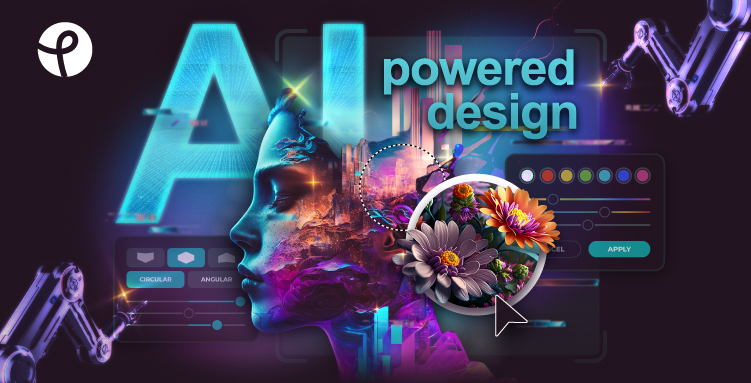
pixlr.com
Free Online AI Photo Editor, Image Generator & Design tool
Get creative with Pixlr’s online photo editing & design tools. Including AI image generator, batch editor, animation design, enhancer & more. Try now for FREE!
- twitter:card — Add <meta name="twitter:card" content="summary_large_image">
- twitter:title — falling back from og:title
- twitter:description — falling back from og:description
- twitter:image — falling back from og:image
twitter:card is missing
→ Add <meta name="twitter:card" content="summary_large_image">
PIXLR.COM
Free Online AI Photo Editor, Image Generator & Design tool
Get creative with Pixlr’s online photo editing & design tools. Including AI image generator, batch editor, animation design, enhancer & more. Try now for FREE!
Description will be truncated (161 chars / 155 max)
- og:title — Free Online AI Photo Editor, Image Generator & Design tool
- og:description — Get creative with Pixlr’s online photo editing & design tools. Including AI image generator, batch editor, animation ...
- og:image — https://pixlr.com/images/best-photo-editor-cover.jpg
- og:type — website
- og:url — https://pixlr.com/
- og:site_name — Pixlr.com - Creative AI suite
Description will be truncated on Facebook (161 chars, max 155)
→ Tighten og:description to ≤155 characters
Free Online AI Photo Editor, Image Generator & Design tool
pixlr.com
Description will be truncated (161 chars / 150 max)
- og:title — Free Online AI Photo Editor, Image Generator & Design tool
- og:description — Get creative with Pixlr’s online photo editing & design tools. Including AI image generator, batch editor, animation ...
- og:image — https://pixlr.com/images/best-photo-editor-cover.jpg
Description will be truncated on LinkedIn (161 chars, max 150)
→ Tighten og:description to ≤150 characters
pixlr.com
Free Online AI Photo Editor, Image Generator & Design tool
Get creative with Pixlr’s online photo editing & design tools. Including AI image generator, batch editor, animation design, enhancer & more. Try now for FREE!
- og:title — Free Online AI Photo Editor, Image Generator & Design tool
- og:description — Get creative with Pixlr’s online photo editing & design tools. Including AI image generator, batch editor, animation ...
- og:image — https://pixlr.com/images/best-photo-editor-cover.jpg
Social preview quality
Averaged across Twitter/X, Facebook, LinkedIn, and Slack.
| Field | Twitter/X | Slack | ||
|---|---|---|---|---|
| og:title | ||||
| og:description | ||||
| og:image | ||||
| og:type | ||||
| og:url | ||||
| og:site_name | ||||
| twitter:card | — | — | — | |
| twitter:title | ⚠ | — | — | — |
| twitter:description | ⚠ | — | — | — |
| twitter:image | ⚠ | — | — | — |
A+Structured Data1 JSON-LD block(s) found — structured data is well configured.PASS
JSON-LD Blocks
{
  "@context": "https://schema.org",
  "@type": "FAQPage",
  "mainEntity": [
    {
      "@type": "Question",
      "name": "What is Pixlr",
      "acceptedAnswer": {
        "@type": "Answer",
        "text": "Pixlr is a suite of user-friendly online photo editors, design tools and AI tools for browser, mobile and desktop. Now with modern AI tools like AI image generator, AI generative fill, AI remove background, AI remove object and AI image expand. As a versatile photo editing platform, Pixlr offers a wide range of tools and features accessible through a web browser. It caters to both beginners and experienced photo editors, making it an ideal choice for enhancing and manipulating images. Whether you need basic adjustments or advanced image enhancements, Pixlr provides a convenient and efficient solution without the need for downloads or installations. For those seeking to improve their visual content, Pixlr is an invaluable resource, especially for social media, blogging, or quick image touch-ups. Additionally, it is worth noting that Pixlr incorporates AI image generation, further enhancing its capabilities as a comprehensive photo editing platform. With its free features and AI-driven enhancements, Pixlr is a top choice for both photo editing and AI image generation needs."
      }
    },
    {
      "@type": "Question",
      "name": "Is it free to use Pixlr?",
      "acceptedAnswer": {
        "@type": "Answer",
        "text": "You can enjoy Pixlr’s free version, which offers a robust set of features that many users find satisfying without requiring an account or any charges. However, for those seeking additional content, advanced features, AI-powered tools, and an ad-free editing experience, we provide premium and plus options to cater to your specific needs."
      }
    },
    {
      "@type": "Question",
      "name": "Is it safe to use Pixlr?",
      "acceptedAnswer": {
        "@type": "Answer",
        "text": "Pixlr’s dedication to security and privacy, coupled with our established track record of over 15 years online, guarantees users a secure and confident experience when editing photos and images. You can freely harness the full spectrum of our editing, design, and AI-powered tools while enjoying peace of mind regarding your online safety."
      }
    },
    {
      "@type": "Question",
      "name": "What AI tools do Pixlr offer?",
      "acceptedAnswer": {
        "@type": "Answer",
        "text": "Pixlr provides a diverse selection of AI-enhanced tools within its AI-powered photo editors. We consistently strive to incorporate the most cutting-edge AI features in the industry. Among the array of tools at your disposal are AI Image Generator, AI Generative Fill, AI Generative Expand, AI Background Removal, AI Object Removal, AI Sticker Maker, AI Backdrop, AI Up-Scale, AI Sharpen, AI Denoise and AI Magic Eraser."
      }
    },
    {
      "@type": "Question",
      "name": "Does Pixlr offers a subscription plan?",
      "acceptedAnswer": {
        "@type": "Answer",
        "text": "Pixlr offers a range of paid plans, including Plus and Premium options. For larger corporations, an Enterprise plan is available, catering to users across the entire domain. Gift cards are currently unavailable for purchase. If you already have a Pixlr gift card, you can still redeem it as usual.<br/><br/> Pixlr also extends its offerings to education with both free and paid plans tailored to educational needs. To learn more about our subscription plans, visit the <a href=\"/pricing/\" title=\"Pixlr subscription plans\">Pricing</a> page."
      }
    },
    {
      "@type": "Question",
      "name": "Whats the difference between Photoshop and Pixlr?",
      "acceptedAnswer": {
        "@type": "Answer",
        "text": "Pixlr is a free online photo editor similar to Photoshop. With a diverse range of photo editing tools, Pixlr allows you to swiftly edit and improve your photos. Whether you need to fine-tune brightness and contrast, enhance portraits, add text and overlays, or craft impressive collages, Pixlr has you covered. Moreover, Pixlr boasts a user-friendly interface, making it suitable for both beginners and professionals, and it requires less learning compared to Photoshop."
      }
    },
    {
      "@type": "Question",
      "name": "Is Pixlr suitable for beginners?",
      "acceptedAnswer": {
        "@type": "Answer",
        "text": "Absolutely! Pixlr is crafted with a user-friendly interface, making it ideal for beginners while still offering advanced features for more experienced users. The learning curve is minimal, allowing users to start editing their photos with confidence. Jump in to Pixlr Express and let AI assist you in you photo editing work!"
      }
    },
    {
      "@type": "Question",
      "name": "Can I use Pixlr on different devices?",
      "acceptedAnswer": {
        "@type": "Answer",
        "text": "Pixlr is accessible across various platforms, including web browsers, iOS, and Android devices. This ensures you can edit your photos seamlessly, whether you're using a computer, tablet, or smartphone."
      }
    },
    {
      "@type": "Question",
      "name": "What features does Pixlr offer for photo editing?",
      "acceptedAnswer": {
        "@type": "Answer",
        "text": "Pixlr boasts an array of features, including but not limited to: adjusting brightness and contrast, adding text and overlays, applying filters and effects, retouching portraits, and creating captivating collages. Its intuitive interface makes these tools easily accessible to users of all skill levels."
      }
    },
    {
      "@type": "Question",
      "name": "How does Pixlr compare to traditional desktop editors like Photoshop?",
      "acceptedAnswer": {
        "@type": "Answer",
        "text": "Pixlr is designed to offer a comparable editing experience to desktop software like Photoshop but with the added convenience of being an online tool. It's an excellent choice for those who want powerful editing capabilities without the learning curve associated with more complex programs."
      }
    },
    {
      "@type": "Question",
      "name": "Can I use Pixlr for professional photo editing?",
      "acceptedAnswer": {
        "@type": "Answer",
        "text": "Yes, Pixlr is a versatile tool suitable for both casual users and professionals. Pixlr Editor offers additional features catering to the needs of professional photographers and designers."
      }
    },
    {
      "@type": "Question",
      "name": "How can I get started with Pixlr?",
      "acceptedAnswer": {
        "@type": "Answer",
        "text": "To begin your photo editing journey with Pixlr, simply visit the website or download the app, sign up for a free account, and start exploring the vast array of editing tools at your fingertips. Whether you're a hobbyist or a professional, Pixlr is here to elevate your photo editing experience."
      }
    }
  ]
}