

Content
· 5 checks — Internal links, mixed-content guards, Open Graph previews, and structured data rolled into one auditable list.COpen GraphActionOpen Graph tags are partially configured — some improvements recommended.REVIEW
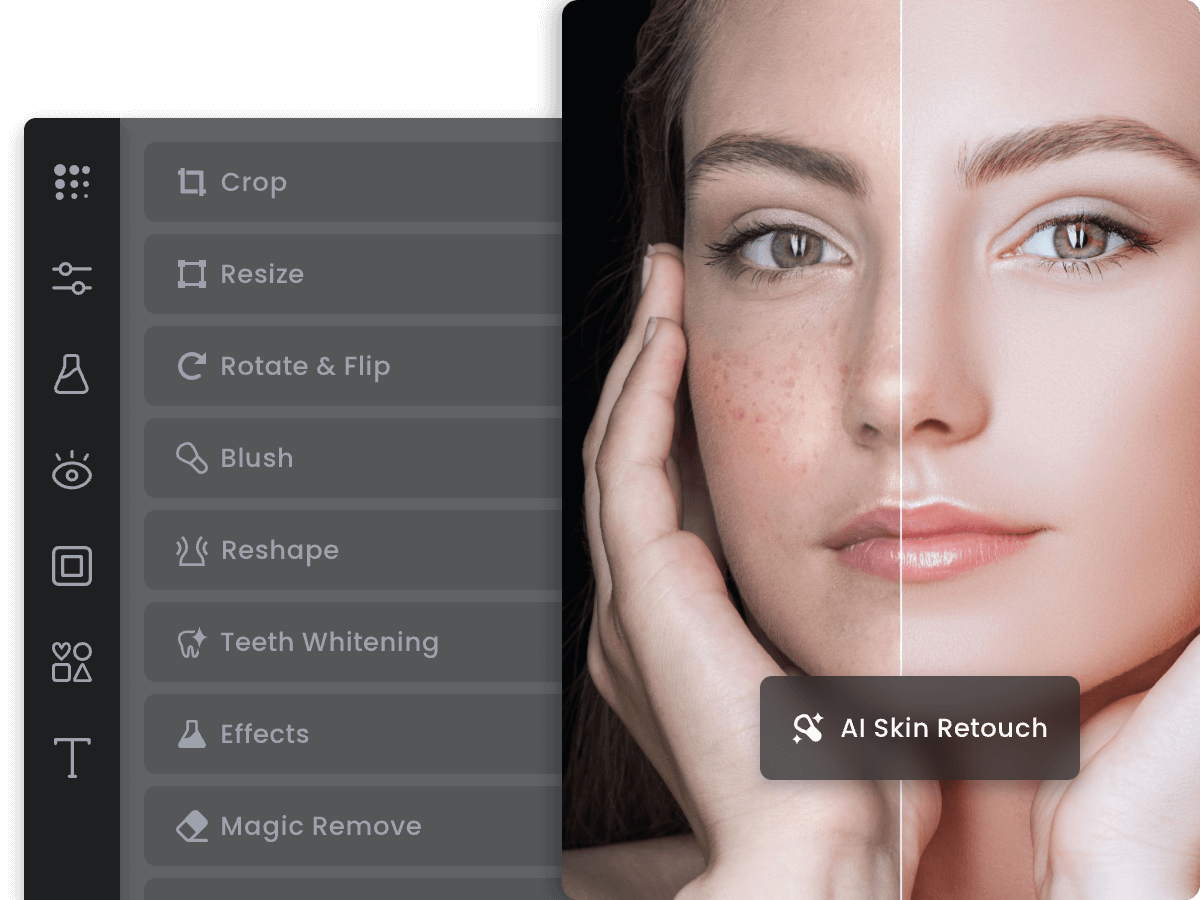
https://imgv3.fotor.com/images/share/Fotor-free-online-photo-editor.pngThe og:image URL could not be fetched. Social platforms won't be able to display it.
An unreachable og:image URL (404, DNS fail, slow timeout) means social platforms cache the failure and serve no image for hours.
Learn more ▾ ▴
Social platforms (Facebook, Twitter) cache OG metadata aggressively — including failed image fetches. A momentarily-broken og:image can leave your shares imageless for hours. Test og:image URLs in Facebook's Sharing Debugger to force re-cache after fixing.
Source: Open Graph Protocol / Facebook Sharing Debugger
62 charsTitles over 60 characters may be truncated in social sharing previews.
25–60 charsog:title borderline-too-long — Facebook/LinkedIn may truncate. Aim for ~60-70 characters max.
Source: Open Graph Protocol
The og:url tag specifies the canonical URL for the shared content.
Without og:url, social platforms infer the canonical URL — often picking a tracking-param variant that pollutes share counts.
Learn more ▾ ▴
og:url tells the social platform which URL to count this share against. Without it, platforms use the literal URL the user pasted (which may include utm_* parameters, ref codes, etc.). Setting og:url to the canonical form keeps share-count attribution clean.
Source: Open Graph Protocol
The og:type tag helps social platforms categorize the content.
Default og:type is 'website' but the right value (article, product, profile) unlocks richer metadata fields and higher engagement.
Learn more ▾ ▴
og:type controls which other og: fields a platform respects. og:type=article enables og:article:published_time, author, and section — surfaced in news cards. og:type=product enables price/availability fields surfaced by Pinterest and shopping integrations. Default 'website' silently disables those.
Source: Open Graph Protocol
The og:site_name tag displays the website name in social previews.
Without og:site_name, social cards omit the brand attribution — users see the post but not who published it.
Learn more ▾ ▴
og:site_name appears in the social card chrome (above the title in Facebook/LinkedIn previews). Without it, posts read as anonymous URLs. Set it to your brand name to get free attribution on every share.
Source: Open Graph Protocol
Preview
fotor.com
Photo Editor: Free Online Photo Editing & Image Editor | Fotor
Enhance and edit photos with Fotor’s free online photo editor. Crop, add text & effects, retouch images, and more using powerful photo editing tools.
- twitter:card — summary_large_image
- twitter:title — Photo Editor: Free Online Photo Editing & Image Editor | Fotor
- twitter:description — Enhance and edit photos with Fotor’s free online photo editor. Crop, add text & effects, retouch images, and more usi...
- twitter:image — https://imgv3.fotor.com/images/share/Fotor-free-online-photo-editor.png
FOTOR.COM
Photo Editor: Free Online Photo Editing & Image Editor | Fotor
Enhance and edit photos with Fotor’s free online photo editor. Crop, add text & effects, retouch images, and more using powerful photo editing tools.
Title will be truncated (62 chars / 60 max)
- og:title — Photo Editor: Free Online Photo Editing & Image Editor | Fotor
- og:description — Enhance and edit photos with Fotor’s free online photo editor. Crop, add text & effects, retouch images, and more usi...
- og:image — https://imgv3.fotor.com/images/share/Fotor-free-online-photo-editor.png
- og:type — Add og:type — Recommended — tells Facebook the content category
- og:url — Add og:url — Recommended — canonical URL for the share
- og:site_name — Add og:site_name — Recommended — site-level brand line in the preview
Title will be truncated on Facebook (62 chars, max 60)
→ Shorten og:title to ≤60 characters
Photo Editor: Free Online Photo Editing & Image Editor | Fotor
fotor.com
Description will be truncated (151 chars / 150 max)
- og:title — Photo Editor: Free Online Photo Editing & Image Editor | Fotor
- og:description — Enhance and edit photos with Fotor’s free online photo editor. Crop, add text & effects, retouch images, and more usi...
- og:image — https://imgv3.fotor.com/images/share/Fotor-free-online-photo-editor.png
Description will be truncated on LinkedIn (151 chars, max 150)
→ Tighten og:description to ≤150 characters
fotor.com
Photo Editor: Free Online Photo Editing & Image Editor | Fotor
Enhance and edit photos with Fotor’s free online photo editor. Crop, add text & effects, retouch images, and more using powerful photo editing tools.
- og:title — Photo Editor: Free Online Photo Editing & Image Editor | Fotor
- og:description — Enhance and edit photos with Fotor’s free online photo editor. Crop, add text & effects, retouch images, and more usi...
- og:image — https://imgv3.fotor.com/images/share/Fotor-free-online-photo-editor.png
Social preview quality
Averaged across Twitter/X, Facebook, LinkedIn, and Slack.
| Field | Twitter/X | Slack | ||
|---|---|---|---|---|
| og:title | ||||
| og:description | ||||
| og:image | ||||
| og:type | ||||
| og:url | ||||
| og:site_name | ||||
| twitter:card | — | — | — | |
| twitter:title | — | — | — | |
| twitter:description | — | — | — | |
| twitter:image | — | — | — |
BBrand PresenceSite-name consistency, favicon, social image, meta tags, schema, and contact signalsREVIEW
Brand Presence
Partial brand coverage — a few channels are missing brand signals.
B
78/100
Site name appears as
| Page title | Fotor | |
| og:site_name | — | |
| twitter:site | — | |
| Organization.name | Fotor |
Consistent
Brand assets
Favicon
8/15single size only
Social share image
20/20og:image + twitter:image set
Meta completeness
20/20Organization schema
15/15has name, logo + url
Contact info discoverable
5/10contact page
Findings
- Missing brand name in: og:site_name, twitter:site
- Single favicon only — add apple-touch-icon for iOS home-screen and high-DPI support
- Only partial contact info discoverable — consider adding a dedicated contact page or mailto/tel link
How consistently your brand appears across channels — shared link previews, structured data, favicon, contact info.
A+Links200 links checked, 200 healthy, 0 brokenPASS
Redirects (1)
| URL | Destination | Found in | Hops |
|---|---|---|---|
| https://www.fotor.com/images/create?type... | https://www.fotor.com/images/create?type... | <a> | 0 |
A+Mixed ContentNo mixed content detected — all resources use HTTPS.PASS
A+Structured Data4 JSON-LD block(s) found — structured data is well configured.PASS
Adding "description" can improve how search engines display your content.
Recommended schema properties unlock richer SERP layouts — without them you get the basic rich result instead of the enhanced one.
Learn more ▾ ▴
Recommended properties expand what Google can render. E.g., adding aggregateRating to Product unlocks star ratings; adding image to Article unlocks the image-card variant. Each recommended property is a direct SERP-real-estate gain.
Source: Google Search Central / schema.org
Adding "potentialAction" can improve how search engines display your content.
Recommended schema properties unlock richer SERP layouts — without them you get the basic rich result instead of the enhanced one.
Learn more ▾ ▴
Recommended properties expand what Google can render. E.g., adding aggregateRating to Product unlocks star ratings; adding image to Article unlocks the image-card variant. Each recommended property is a direct SERP-real-estate gain.
Source: Google Search Central / schema.org
JSON-LD Blocks
{
  "@context": "https://schema.org",
  "@type": "WebSite",
  "name": "Fotor",
  "url": "https://www.fotor.com/"
}{
"@context": "https://schema.org",
"@type": "Organization",
"name": "Fotor",
"url": "https://www.fotor.com/",
"logo": "https://pub-static.fotor.com/anon_home/fotor-logo.png",
"contactPoint": [
{
"@type": "ContactPoint",
"url": "https://support.fotor.com/hc/en-us",
"contactType": "Customer Support"
}
],
"sameAs": [
"https://www.facebook.com/fotorapp/",
"https://twitter.com/fotor_com",
"https://www.instagram.com/fotor_app/",
"https://www.youtube.com/@Fotor2012",
"https://www.pinterest.com/fotor2012/"
]
}{
"@context": "https://schema.org",
"@type": "FAQPage",
"mainEntity": [
{
"@type": "Question",
"name": "1. Is Fotor’s online photo editor free to use?",
"acceptedAnswer": {
"@type": "Answer",
"text": "<p>Yes, Fotor’s online photo editor offers a free plan that allows anyone to edit as many images as they want and export the edited photos without watermarks. Those who want even more advanced features can upgrade to Fotor Pro.</p>"
}
},
{
"@type": "Question",
"name": "2. Can I use Fotor’s free photo editor on PC and mobile?",
"acceptedAnswer": {
"@type": "Answer",
"text": "<p>Yes, our photo editor is available on Windows, Mac, iOS, and Android devices. You can edit and enhance your photos from anywhere and anytime with just one account.</p>"
}
},
{
"@type": "Question",
"name": "3. What's the difference between Fotor and Photoshop?",
"acceptedAnswer": {
"@type": "Answer",
"text": "<p>Fotor is a user-friendly online photo editor like Photoshop. With a variety of photo editing features, Fotor can help you quickly improve and edit photos. You can resize and crop images, adjust brightness and contrast, beautify portraits, add text and overlays, remove backgrounds, create photo collages, and more using Fotor.</p>\n<p>Moreover, our photo editor is less complex than Photoshop, making it ideal for amateurs and professionals alike.</p>"
}
},
{
"@type": "Question",
"name": "4. How to add text to a picture?",
"acceptedAnswer": {
"@type": "Answer",
"text": "<p>With just a few clicks, you can quickly add text to a picture using Fotor’s online picture editor. </p>\n<p>Firstly, upload your picture to Fotor and click \"Text\" to insert text into the picture. </p>\n<p>Type the words you want to add, and drag and drop the text wherever you want. You can change the font, size, color, and spacing to customize the text, and curve the text for a more creative touch.</p>\n<p>Finally, save and download your edited picture in the desired format. It’s that easy!</p>"
}
},
{
"@type": "Question",
"name": "5. What is photo editing?",
"acceptedAnswer": {
"@type": "Answer",
"text": "<p>Photo editing is the process of digitally enhancing an image to make it look better. Photo editing can range from simple adjustments such as cropping and resizing to more advanced editing techniques like color correction and retouching.</p>\n<p>With photo editing software such as Fotor's online photo editor, you can easily enhance the appearance of your digital photos. With just a few clicks, you can adjust color, brightness, and contrast, improve image quality, add photo effects, remove unwanted items from photos, <a href=\"https://www.fotor.com/features/blur-image/\" target=\"_blank\" rel=\"noreferrer noopener\">blur images</a>, and much more. With a user-friendly interface and powerful editing features, Fotor simplifies the process of photo editing and helps you achieve stunning results with minimal effort.</p>"
}
},
{
"@type": "Question",
"name": "6. How to edit the background of image?",
"acceptedAnswer": {
"@type": "Answer",
"text": "<p>This can be achieved in several ways in our AI photo editor. Easily edit photo background and perfect your image in seconds.</p>\n<p>Using our Blur Tool, you can blur out the background of an image to highlight the subject and create a depth of field effect.</p>\n<p>You can use our background eraser to remove background from image automatically, and get transparent background image for new look.</p>\n<p>You can also replace the background by Fotor AI background generator. Generate professional backgrounds for any occasion automatically, even product photo backgrounds.</p>"
}
},
{
"@type": "Question",
"name": "7. How to remove objects from photo?",
"acceptedAnswer": {
"@type": "Answer",
"text": "<p>To cleanup your picture, Fotor online photo editor is your best choice. You can remove unwanted objects from photos in seconds. Remove people, text, watermarks and more. No Photoshop skills are required.</p>"
}
}
]
}{
"@context": "https://schema.org",
"@type": "HowTo",
"name": "How to edit photos with Fotor's online photo editor?",
"step": [
{
"@type": "HowToStep",
"position": 1,
"name": "Step 1: Upload photo",
"text": "<p>Upload or drag and drop a photo to our photo editor online to start editing.</p>",
"url": "https://www.fotor.com/photo-editor-app/",
"image": "https://imgv3.fotor.com/images/homepage-feature-card/step-1.png"
},
{
"@type": "HowToStep",
"position": 2,
"name": "Step 2: Edit photo",
"text": "<p>Adjust lighting, color, and exposure, apply photo effects, and customize your photo with text, stickers, photo frames, and more.</p>",
"url": "https://www.fotor.com/photo-editor-app/",
"image": "https://imgv3.fotor.com/images/homepage-feature-card/step-2.png"
},
{
"@type": "HowToStep",
"position": 3,
"name": "Step 3: Download & share",
"text": "<p>Download your edited photo in high-quality JPG, PNG or PDF formats and share it instantly on social media.</p>",
"url": "https://www.fotor.com/photo-editor-app/",
"image": "https://imgv3.fotor.com/images/homepage-feature-card/step-3.png"
}
]
}