

Content
· 9 checks — Internal links, mixed-content guards, Open Graph previews, and structured data rolled into one auditable list.CBrand PresenceActionSite-name consistency, favicon, social image, meta tags, schema, and contact signalsREVIEW
Brand Presence
Your brand name differs across channels — visitors see inconsistent identity.
C
69/100
Site name appears as
| Page title | Image Text Editor | |
| og:site_name | ReWords AI | |
| twitter:site | — | |
| Organization.name | — |
Inconsistent — names differ across channels
Brand assets
Favicon
15/15covers multiple sizes + apple-touch-icon
Social share image
20/20og:image + twitter:image set
Meta completeness
20/20Organization schema
4/15Organization schema present but missing all recommended fields
Contact info discoverable
5/10mailto link
Findings
- Brand name differs across channels — users see inconsistent identity
- Organization schema missing logo — add a logo property pointing to a square PNG
- Organization schema missing url — point it at the canonical homepage
- Consider adding contactPoint — helps appear in "contact us" rich results
- Only partial contact info discoverable — consider adding a dedicated contact page or mailto/tel link
How consistently your brand appears across channels — shared link previews, structured data, favicon, contact info.
A+Links112 links checked, 112 healthy, 0 brokenPASS
A+Mixed ContentNo mixed content detected — all resources use HTTPS.PASS
A+Open GraphOpen Graph tags are well configured for social sharing.PASS
Preview
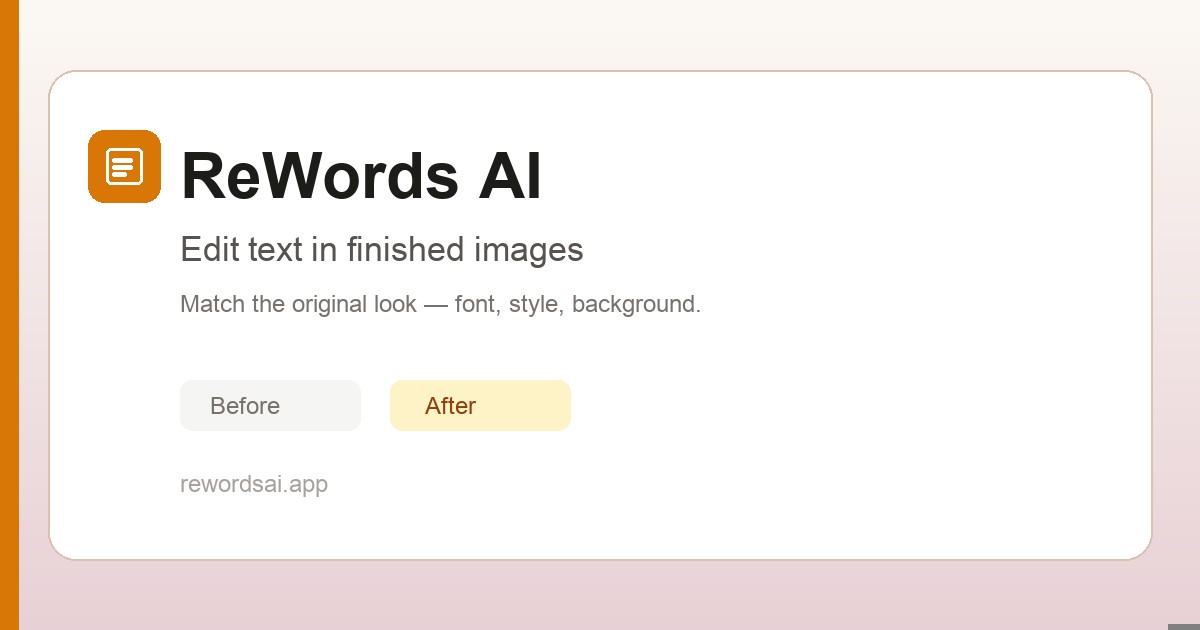
rewordsai.app
ReWords AI | Edit Text in Images Online | Image Text Editor
Replace text in finished images online with ReWords AI. Match the original font, style, and background when you edit text in screenshots, posters, or packaging.
- twitter:card — summary_large_image
- twitter:title — ReWords AI | Edit Text in Images Online | Image Text Editor
- twitter:description — Replace text in finished images online with ReWords AI. Match the original font, style, and background when you edit ...
- twitter:image — https://rewordsai.app/images/og-cover.jpg
REWORDSAI.APP
ReWords AI | Edit Text in Images Online | Image Text Editor
Replace text in finished images online with ReWords AI. Match the original font, style, and background when you edit text in screenshots, posters, or packaging.
Description will be truncated (160 chars / 155 max)
- og:title — ReWords AI | Edit Text in Images Online | Image Text Editor
- og:description — Replace text in finished images online with ReWords AI. Match the original font, style, and background when you edit ...
- og:image — https://rewordsai.app/images/og-cover.jpg
- og:type — website
- og:url — https://rewordsai.app/
- og:site_name — ReWords AI
Description will be truncated on Facebook (160 chars, max 155)
→ Tighten og:description to ≤155 characters
ReWords AI | Edit Text in Images Online | Image Text Editor
rewordsai.app
Description will be truncated (160 chars / 150 max)
- og:title — ReWords AI | Edit Text in Images Online | Image Text Editor
- og:description — Replace text in finished images online with ReWords AI. Match the original font, style, and background when you edit ...
- og:image — https://rewordsai.app/images/og-cover.jpg
Description will be truncated on LinkedIn (160 chars, max 150)
→ Tighten og:description to ≤150 characters
rewordsai.app
ReWords AI | Edit Text in Images Online | Image Text Editor
Replace text in finished images online with ReWords AI. Match the original font, style, and background when you edit text in screenshots, posters, or packaging.
- og:title — ReWords AI | Edit Text in Images Online | Image Text Editor
- og:description — Replace text in finished images online with ReWords AI. Match the original font, style, and background when you edit ...
- og:image — https://rewordsai.app/images/og-cover.jpg
Social preview quality
Averaged across Twitter/X, Facebook, LinkedIn, and Slack.
| Field | Twitter/X | Slack | ||
|---|---|---|---|---|
| og:title | ||||
| og:description | ||||
| og:image | ||||
| og:type | ||||
| og:url | ||||
| og:site_name | ||||
| twitter:card | — | — | — | |
| twitter:title | — | — | — | |
| twitter:description | — | — | — | |
| twitter:image | — | — | — |
A+Open Graph / Twitter Card DepthOG image dimensions and Twitter card configuration look healthyPASS
AStructured Data1 JSON-LD block(s) found — structured data is well configured.PASS
The "name" property is required for the Organization schema type.
Schema markup missing required properties is silently rejected by Google — your structured data appears in source but never as a rich result.
Learn more ▾ ▴
Each schema.org type has required properties (Article needs headline + author + datePublished; Product needs name + offers; etc.). Missing them means Google's rich-result eligibility check fails. The Search Console Rich Results Test surfaces specific gaps. Fix the missing property; rich results re-appear within hours.
Source: Google Search Central / schema.org
Adding "url" can improve how search engines display your content.
Recommended schema properties unlock richer SERP layouts — without them you get the basic rich result instead of the enhanced one.
Learn more ▾ ▴
Recommended properties expand what Google can render. E.g., adding aggregateRating to Product unlocks star ratings; adding image to Article unlocks the image-card variant. Each recommended property is a direct SERP-real-estate gain.
Source: Google Search Central / schema.org
Adding "logo" can improve how search engines display your content.
Recommended schema properties unlock richer SERP layouts — without them you get the basic rich result instead of the enhanced one.
Learn more ▾ ▴
Recommended properties expand what Google can render. E.g., adding aggregateRating to Product unlocks star ratings; adding image to Article unlocks the image-card variant. Each recommended property is a direct SERP-real-estate gain.
Source: Google Search Central / schema.org
Adding "sameAs" can improve how search engines display your content.
Recommended schema properties unlock richer SERP layouts — without them you get the basic rich result instead of the enhanced one.
Learn more ▾ ▴
Recommended properties expand what Google can render. E.g., adding aggregateRating to Product unlocks star ratings; adding image to Article unlocks the image-card variant. Each recommended property is a direct SERP-real-estate gain.
Source: Google Search Central / schema.org
JSON-LD Blocks
{
  "@context": "https://schema.org",
  "@graph": [
    {
      "@type": "Organization",
      "@id": "https://rewordsai.app/#organization",
      "name": "ReWords AI",
      "url": "https://rewordsai.app",
      "logo": {
        "@type": "ImageObject",
        "url": "https://rewordsai.app/images/icon.png"
      },
      "email": "support@rewordsai.app",
      "description": "Replace text in finished images online with ReWords AI. Match the original font, style, and background when you edit text in screenshots, posters, or packaging.",
      "sameAs": [
        "https://www.thehackstack.com/product/f46e6274-6d40-40ad-b38e-91fea67f5f83"
      ],
      "contactPoint": {
        "@type": "ContactPoint",
        "email": "support@rewordsai.app",
        "contactType": "customer support",
        "url": "https://rewordsai.app/about"
      }
    },
    {
      "@type": "WebSite",
      "@id": "https://rewordsai.app/#website",
      "url": "https://rewordsai.app",
      "name": "ReWords AI",
      "description": "Replace text in finished images online with ReWords AI. Match the original font, style, and background when you edit text in screenshots, posters, or packaging.",
      "publisher": {
        "@id": "https://rewordsai.app/#organization"
      },
      "inLanguage": "en"
    },
    {
      "@type": "WebPage",
      "@id": "https://rewordsai.app/#webpage",
      "url": "https://rewordsai.app/",
      "name": "ReWords AI | Edit Text in Images Online | Image Text Editor",
      "description": "Replace text in finished images online with ReWords AI. Match the original font, style, and background when you edit text in screenshots, posters, or packaging.",
      "datePublished": "2025-06-01",
      "dateModified": "2026-07-26",
      "isPartOf": {
        "@id": "https://rewordsai.app/#website"
      },
      "about": {
        "@id": "https://rewordsai.app/#app"
      },
      "author": {
        "@id": "https://rewordsai.app/#organization"
      },
      "publisher": {
        "@id": "https://rewordsai.app/#organization"
      },
      "inLanguage": "en",
      "primaryImageOfPage": {
        "@type": "ImageObject",
        "url": "https://rewordsai.app/images/og-cover.jpg"
      },
      "speakable": {
        "@type": "SpeakableSpecification",
        "cssSelector": [
          "h1",
          "#what-definition"
        ]
      }
    },
    {
      "@type": "SoftwareApplication",
      "@id": "https://rewordsai.app/#app",
      "name": "ReWords AI",
      "applicationCategory": "BusinessApplication",
      "operatingSystem": "Web",
      "url": "https://rewordsai.app/",
      "description": "Replace text in finished images online with ReWords AI. Match the original font, style, and background when you edit text in screenshots, posters, or packaging.",
      "offers": {
        "@type": "Offer",
        "price": "0",
        "priceCurrency": "USD",
        "description": "Free image edit after sign-in; paid credit packs and subscriptions available."
      },
      "author": {
        "@id": "https://rewordsai.app/#organization"
      },
      "publisher": {
        "@id": "https://rewordsai.app/#organization"
      },
      "provider": {
        "@id": "https://rewordsai.app/#organization"
      }
    },
    {
      "@type": "FAQPage",
      "@id": "https://rewordsai.app/#faq",
      "mainEntity": [
        {
          "@type": "Question",
          "name": "How to replace text in an image online?",
          "acceptedAnswer": {
            "@type": "Answer",
            "text": "Upload your image to ReWords AI, select the text you want to change, enter the replacement, and generate a revised image. The tool tries to match the original style as closely as the image allows."
          }
        },
        {
          "@type": "Question",
          "name": "Can I match the font style in the image?",
          "acceptedAnswer": {
            "@type": "Answer",
            "text": "ReWords AI analyzes the original text and aims to match its font, size, color, and surrounding style as closely as possible. Results vary with image quality and text complexity."
          }
        },
        {
          "@type": "Question",
          "name": "Is there a free way to try editing text in images?",
          "acceptedAnswer": {
            "@type": "Answer",
            "text": "New users can try a free image edit after signing in. Additional edits require credits or a subscription, and 2K and 4K resolutions are subscription benefits."
          }
        },
        {
          "@type": "Question",
          "name": "Is my data secure?",
          "acceptedAnswer": {
            "@type": "Answer",
            "text": "We process uploaded images to generate the edit you request, which may involve third-party AI and storage providers. See our Privacy Policy for current details about data handling and retention."
          }
        },
        {
          "@type": "Question",
          "name": "Can it really keep the same font style as the original?",
          "acceptedAnswer": {
            "@type": "Answer",
            "text": "ReWords AI is designed to match the original font and style as closely as possible. Results vary with image quality, font complexity, background texture, and text length, so review the output before publishing."
          }
        },
        {
          "@type": "Question",
          "name": "Does it work with handwritten text or complex backgrounds?",
          "acceptedAnswer": {
            "@type": "Answer",
            "text": "It can work with some handwritten, curved, or complex text areas, but results vary. Clear text with enough surrounding context usually works best."
          }
        },
        {
          "@type": "Question",
          "name": "How is this different from Photoshop or Canva?",
          "acceptedAnswer": {
            "@type": "Answer",
            "text": "Traditional editors such as Adobe Photoshop (adobe.com/products/photoshop) and Canva often require manual erasing, background repair, and font matching. ReWords AI rebuilds the selected area to help the edited text fit the original design more naturally."
          }
        },
        {
          "@type": "Question",
          "name": "Is there a free option to try?",
          "acceptedAnswer": {
            "@type": "Answer",
            "text": "Sign in to try a free image edit. No credit card is required. If you need more edits, you can buy credits or subscribe."
          }
        }
      ],
      "isPartOf": {
        "@id": "https://rewordsai.app/#webpage"
      }
    }
  ]
}