

Content
· 7 checks — Internal links, mixed-content guards, Open Graph previews, and structured data rolled into one auditable list.FImage OptimizationAction6 issues found across 34 imagesFIX
CBrand PresenceActionSite-name consistency, favicon, social image, meta tags, schema, and contact signalsREVIEW
Brand Presence
Your brand name differs across channels — visitors see inconsistent identity.
C
69/100
Site name appears as
| Page title | UptimeRobot: Free Website Monitoring Service | |
| og:site_name | UptimeRobot | |
| twitter:site | @uptimerobot | |
| Organization.name | — |
Inconsistent — names differ across channels
Brand assets
Favicon
15/15covers multiple sizes + apple-touch-icon
Social share image
20/20og:image + twitter:image set
Meta completeness
20/20Organization schema
4/15Organization schema present but missing all recommended fields
Contact info discoverable
5/10contact page
Findings
- Brand name differs across channels — users see inconsistent identity
- Organization schema missing logo — add a logo property pointing to a square PNG
- Organization schema missing url — point it at the canonical homepage
- Consider adding contactPoint — helps appear in "contact us" rich results
- Only partial contact info discoverable — consider adding a dedicated contact page or mailto/tel link
How consistently your brand appears across channels — shared link previews, structured data, favicon, contact info.
ALinks195 links checked, 193 healthy, 2 brokenPASS
Broken Links (2)
| Status | URL | Found in | Error |
|---|---|---|---|
| 404 | https://o4505555361792000.ingest.us.sentry.io | <link> | Not Found |
| 404 | https://uptimerobot.com/integrations/pagerduty-int... | <a> | Not Found |
Redirects (1)
| URL | Destination | Found in | Hops |
|---|---|---|---|
| https://uptimerobot.com/privacy | https://uptimerobot.com/privacy | <a> | 0 |
A+Mixed ContentNo mixed content detected — all resources use HTTPS.PASS
A+Open GraphOpen Graph tags are well configured for social sharing.PASS
Preview
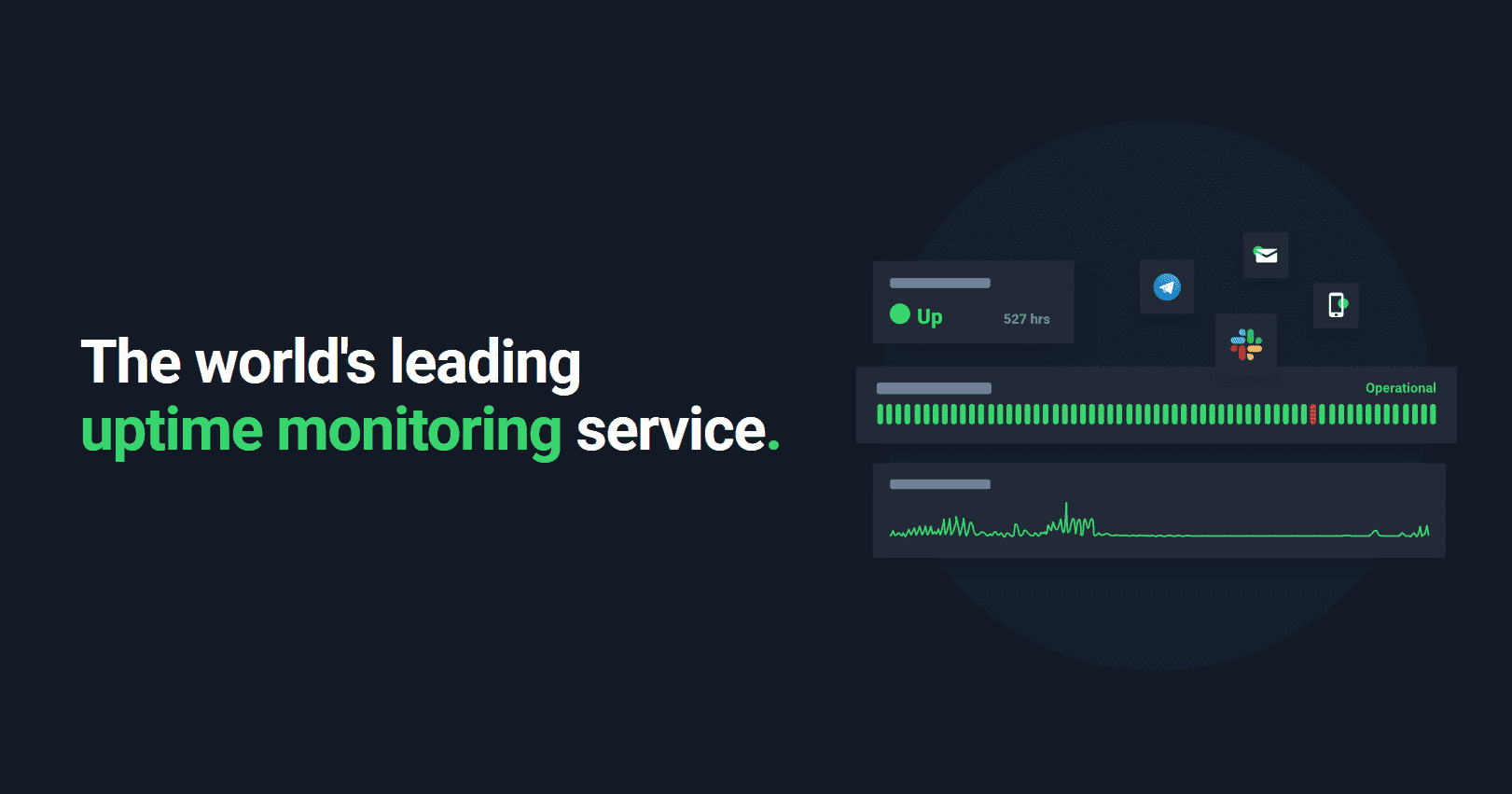
uptimerobot.com
UptimeRobot: Free Website Monitoring Service
Start monitoring in 30 seconds. Use advanced SSL, keyword and cron monitoring. Get notified by email, SMS, Slack and more. Get 50 monitors for FREE!
- twitter:card — summary_large_image
- twitter:title — UptimeRobot: Free Website Monitoring Service
- twitter:description — Start monitoring in 30 seconds. Use advanced SSL, keyword and cron monitoring. Get notified by email, SMS, Slack and ...
- twitter:image — https://new.uptimerobot.com/_astro/ogimage.VdCGQqWN.png
UPTIMEROBOT.COM
UptimeRobot: Free Website Monitoring Service
Start monitoring in 30 seconds. Use advanced SSL, keyword and cron monitoring. Get notified by email, SMS, Slack and more. Get 50 monitors for FREE!
- og:title — UptimeRobot: Free Website Monitoring Service
- og:description — Start monitoring in 30 seconds. Use advanced SSL, keyword and cron monitoring. Get notified by email, SMS, Slack and ...
- og:image — https://new.uptimerobot.com/_astro/ogimage.VdCGQqWN.png
- og:type — website
- og:url — https://new.uptimerobot.com/
- og:site_name — UptimeRobot
UptimeRobot: Free Website Monitoring Service
uptimerobot.com
- og:title — UptimeRobot: Free Website Monitoring Service
- og:description — Start monitoring in 30 seconds. Use advanced SSL, keyword and cron monitoring. Get notified by email, SMS, Slack and ...
- og:image — https://new.uptimerobot.com/_astro/ogimage.VdCGQqWN.png
uptimerobot.com
UptimeRobot: Free Website Monitoring Service
Start monitoring in 30 seconds. Use advanced SSL, keyword and cron monitoring. Get notified by email, SMS, Slack and more. Get 50 monitors for FREE!
- og:title — UptimeRobot: Free Website Monitoring Service
- og:description — Start monitoring in 30 seconds. Use advanced SSL, keyword and cron monitoring. Get notified by email, SMS, Slack and ...
- og:image — https://new.uptimerobot.com/_astro/ogimage.VdCGQqWN.png
Social preview quality
Averaged across Twitter/X, Facebook, LinkedIn, and Slack.
| Field | Twitter/X | Slack | ||
|---|---|---|---|---|
| og:title | ||||
| og:description | ||||
| og:image | ||||
| og:type | ||||
| og:url | ||||
| og:site_name | ||||
| twitter:card | — | — | — | |
| twitter:title | — | — | — | |
| twitter:description | — | — | — | |
| twitter:image | — | — | — |
AStructured Data1 JSON-LD block(s) found — structured data is well configured.PASS
The "name" property is required for the Organization schema type.
Schema markup missing required properties is silently rejected by Google — your structured data appears in source but never as a rich result.
Learn more ▾ ▴
Each schema.org type has required properties (Article needs headline + author + datePublished; Product needs name + offers; etc.). Missing them means Google's rich-result eligibility check fails. The Search Console Rich Results Test surfaces specific gaps. Fix the missing property; rich results re-appear within hours.
Source: Google Search Central / schema.org
Adding "url" can improve how search engines display your content.
Recommended schema properties unlock richer SERP layouts — without them you get the basic rich result instead of the enhanced one.
Learn more ▾ ▴
Recommended properties expand what Google can render. E.g., adding aggregateRating to Product unlocks star ratings; adding image to Article unlocks the image-card variant. Each recommended property is a direct SERP-real-estate gain.
Source: Google Search Central / schema.org
Adding "logo" can improve how search engines display your content.
Recommended schema properties unlock richer SERP layouts — without them you get the basic rich result instead of the enhanced one.
Learn more ▾ ▴
Recommended properties expand what Google can render. E.g., adding aggregateRating to Product unlocks star ratings; adding image to Article unlocks the image-card variant. Each recommended property is a direct SERP-real-estate gain.
Source: Google Search Central / schema.org
Adding "sameAs" can improve how search engines display your content.
Recommended schema properties unlock richer SERP layouts — without them you get the basic rich result instead of the enhanced one.
Learn more ▾ ▴
Recommended properties expand what Google can render. E.g., adding aggregateRating to Product unlocks star ratings; adding image to Article unlocks the image-card variant. Each recommended property is a direct SERP-real-estate gain.
Source: Google Search Central / schema.org
JSON-LD Blocks
{
  "@context": "https://schema.org",
  "@graph": [
    {
      "@type": "Organization",
      "@id": "https://uptimerobot.com/#organization",
      "name": "UptimeRobot",
      "url": "https://uptimerobot.com",
      "logo": "https://uptimerobot.com/assets/images/uptimerobot-logo.svg",
      "brand": {
        "@type": "Brand",
        "name": "UptimeRobot"
      },
      "sameAs": [
        "https://x.com/uptimerobot",
        "https://www.facebook.com/UptimeRobot/",
        "https://www.linkedin.com/company/uptime-robot/"
      ],
      "contactPoint": {
        "@type": "ContactPoint",
        "contactType": "Customer Support",
        "email": "support@uptimerobot.com",
        "url": "https://uptimerobot.com/contact/"
      }
    },
    {
      "@type": "WebSite",
      "@id": "https://uptimerobot.com/#website",
      "url": "https://uptimerobot.com/",
      "name": "UptimeRobot",
      "publisher": {
        "@id": "https://uptimerobot.com/#organization"
      }
    },
    {
      "@type": "SoftwareApplication",
      "@id": "https://uptimerobot.com/#webapp",
      "name": "UptimeRobot",
      "applicationCategory": "BusinessApplication",
      "operatingSystem": "Web",
      "url": "https://uptimerobot.com/",
      "description": "Start monitoring in 30 seconds. Use advanced SSL, keyword and cron monitoring. Get notified by email, SMS, Slack and more. Get 50 monitors for FREE!",
      "publisher": {
        "@id": "https://uptimerobot.com/#organization"
      },
      "aggregateRating": {
        "@type": "AggregateRating",
        "ratingValue": "4.7",
        "reviewCount": "712"
      },
      "offers": {
        "@type": "AggregateOffer",
        "lowPrice": "0",
        "highPrice": "64",
        "priceCurrency": "USD",
        "offerCount": "7",
        "offers": [
          {
            "@type": "Offer",
            "name": "Free Plan",
            "price": "0",
            "priceCurrency": "USD",
            "availability": "https://schema.org/InStock",
            "url": "https://dashboard.uptimerobot.com/sign-up?ref=pricing-free"
          },
          {
            "@type": "Offer",
            "name": "Solo 10 Monitors - Annual",
            "price": "7",
            "priceCurrency": "USD",
            "availability": "https://schema.org/InStock",
            "url": "https://app.uptimerobot.com/billing/checkout/subscription/?planId=1&period=annual&ref=pricing"
          },
          {
            "@type": "Offer",
            "name": "Solo 10 Monitors - Monthly",
            "price": "8",
            "priceCurrency": "USD",
            "availability": "https://schema.org/InStock",
            "url": "https://app.uptimerobot.com/billing/checkout/subscription/?planId=1&period=monthly&ref=pricing"
          },
          {
            "@type": "Offer",
            "name": "Team 100 Monitors - Annual",
            "price": "29",
            "priceCurrency": "USD",
            "availability": "https://schema.org/InStock",
            "url": "https://app.uptimerobot.com/billing/checkout/subscription/?planId=2&period=annual&ref=pricing"
          },
          {
            "@type": "Offer",
            "name": "Team 100 Monitors - Monthly",
            "price": "34",
            "priceCurrency": "USD",
            "availability": "https://schema.org/InStock",
            "url": "https://app.uptimerobot.com/billing/checkout/subscription/?planId=2&period=monthly&ref=pricing"
          },
          {
            "@type": "Offer",
            "name": "Enterprise 200 Monitors - Annual",
            "price": "54",
            "priceCurrency": "USD",
            "availability": "https://schema.org/InStock",
            "url": "https://app.uptimerobot.com/billing/checkout/subscription/?planId=3&period=annual&ref=pricing"
          },
          {
            "@type": "Offer",
            "name": "Enterprise 200 Monitors - Monthly",
            "price": "64",
            "priceCurrency": "USD",
            "availability": "https://schema.org/InStock",
            "url": "https://app.uptimerobot.com/billing/checkout/subscription/?planId=3&period=monthly&ref=pricing"
          }
        ]
      }
    },
    {
      "@type": "FAQPage",
      "@id": "https://uptimerobot.com/#faq",
      "mainEntity": [
        {
          "@type": "Question",
          "name": "What is UptimeRobot?",
          "acceptedAnswer": {
            "@type": "Answer",
            "text": "<p class=\"mb-4\">UptimeRobot is an uptime monitoring service that continuously checks <a class=\"underline hover:text-primary-500\" href=\"/website-monitoring/?ref=hp-faq\" target=\"_blank\" rel=\"noopener\">websites, APIs, and other endpoints</a>. It alerts you when anything goes down, degrades, or changes. So you can stay on top of your systems' current states and identify issues before your users do.</p>\n    <p>UptimeRobot also provides tools to transparently communicate the <a class=\"underline hover:text-primary-500\" href=\"/knowledge-hub/monitoring/building-a-status-page-ultimate-guide/?ref=hp-faq\" target=\"_blank\" rel=\"noopener\">real-time status</a> and reliability of your systems, and proactively <a class=\"underline hover:text-primary-500\" href=\"/knowledge-hub/devops/what-is-incident-management/?ref=hp-faq\" target=\"_blank\" rel=\"noopener\">manage incidents</a> when they happen.</p>"
          }
        },
        {
          "@type": "Question",
          "name": "What is an uptime monitor?",
          "acceptedAnswer": {
            "@type": "Answer",
            "text": "<p class=\"mb-4\">An uptime monitor is a single tool that repeatedly verifies a target webpage or service is online and working as expected.</p>\n    <p class=\"mb-4\">When an uptime monitor detects a problem, it instantly sends <a class=\"underline hover:text-primary-500\" href=\"https://help.uptimerobot.com/en/collections/13158948-alerts-notifications?ref=hp-faq\" target=\"_blank\" rel=\"noopener\">alerts</a> (via email, SMS/IM, call, etc.) so you can respond quickly. It also records incidents with timestamps and details in your dashboard so that you can track reliability over time.</p>\n    <p>Uptime monitors support various <a class=\"underline hover:text-primary-500\" href=\"/knowledge-hub/monitoring/ultimate-guide-to-uptime-monitoring-types/?ref=hp-faq\" target=\"_blank\" rel=\"noopener\">monitoring types</a> (HTTP, Ping, Port, Keyword, DNS, Heartbeat), targets (URL/IP/Port), and alerting rules (including escalation).</p>"
          }
        },
        {
          "@type": "Question",
          "name": "How do I monitor the uptime of a website?",
          "acceptedAnswer": {
            "@type": "Answer",
            "text": "<ol class=\"list-decimal list-inside\">\n      <li><a class=\"underline hover:text-primary-500\" href=\"https://dashboard.uptimerobot.com/sign-up?ref=hp-faq\" target=\"_blank\" rel=\"noopener\">Sign up</a> to create a free UptimeRobot account</li>\n      <li>In the dashboard, click Add New Monitor</li>\n      <li>Choose HTTP(S) as the monitor type and enter the website URL</li>\n      <li>Set the monitoring interval and any optional settings you care about (timeouts, redirects, keyword checks)</li>\n      <li>Add your preferred notification channels (email, push, Slack, SMS, etc.) and save the monitor</li>\n      <li>Optionally: <a class=\"underline hover:text-primary-500\" href=\"/knowledge-hub/monitoring/building-a-status-page-ultimate-guide/?ref=hp-faq\" target=\"_blank\" rel=\"noopener\">create a status page</a></li>\n    </ol>"
          }
        },
        {
          "@type": "Question",
          "name": "How do I create a status page?",
          "acceptedAnswer": {
            "@type": "Answer",
            "text": "<ol class=\"list-decimal list-inside\">\n      <li><a class=\"underline hover:text-primary-500\" href=\"https://dashboard.uptimerobot.com/sign-up?ref=hp-faq\" target=\"_blank\" rel=\"noopener\">Sign up</a> and create a free UptimeRobot account</li>\n      <li><a class=\"underline hover:text-primary-500\" href=\"https://help.uptimerobot.com/en/articles/11358364-how-to-create-your-first-monitor-on-uptimerobot-quick-setup-guide/?ref=hp-faq\" target=\"_blank\" rel=\"noopener\">Create your first monitor</a> (so there's something to display)</li>\n      <li>Go to Status Pages and click Create Status Page</li>\n      <li>Select the monitors (or tags) you want to show, then name the page</li>\n      <li>Publish your status page</li>\n      <li>Optionally: customize the <a class=\"underline hover:text-primary-500\" href=\"/blog/10-real-status-page-examples/?ref=hp-faq\" target=\"_blank\" rel=\"noopener\">design</a>, set a custom domain, password-protect it, opt out of search engine indexing, and use announcements for incident/maintenance updates (users can subscribe with email right on your status page).</li>\n    </ol>"
          }
        },
        {
          "@type": "Question",
          "name": "What can I monitor with UptimeRobot?",
          "acceptedAnswer": {
            "@type": "Answer",
            "text": "<p class=\"mb-4\">With UptimeRobot, you can monitor any website, API, server, application, service, <a href=\"/knowledge-hub/monitoring/what-is-network-monitoring/?ref=hp-faq\" target=\"_blank\" rel=\"noopener\">network</a>, or endpoint, whether it’s yours, a third-party vendor’s, or a dependency you rely on. Additionally, UptimeRobots supports these monitor types:</p>\n    <ul class=\"list-disc list-inside mb-4\">\n      <li>HTTP/HTTPS</li>\n      <li><a class=\"underline hover:text-primary-500\" href=\"/blog/keyword-monitoring-use-cases/?ref=hp-faq\" target=\"_blank\" rel=\"noopener\">Keywords</a> in server responses and on-page</li>\n      <li><a class=\"underline hover:text-primary-500\" href=\"/knowledge-hub/monitoring/icmp-ping-monitoring/?ref=hp-faq\" target=\"_blank\" rel=\"noopener\">Ping</a></li>\n      <li><a class=\"underline hover:text-primary-500\" href=\"/knowledge-hub/monitoring/what-is-port-monitoring/?ref=hp-faq\" target=\"_blank\" rel=\"noopener\">Port</a></li>\n      <li><a class=\"underline hover:text-primary-500\" href=\"/cron-job-monitoring/?ref=hp-faq\" target=\"_blank\" rel=\"noopener\">Cron jobs/heartbeats</a></li>\n      <li><a class=\"underline hover:text-primary-500\" href=\"/knowledge-hub/monitoring/website-change-detection-guide/?ref=hp-faq\" target=\"_blank\" rel=\"noopener\">Website change detection</a></li>\n      <li><a class=\"underline hover:text-primary-500\" href=\"/knowledge-hub/response-time-page-speed/response-time-monitoring-guide/?ref=hp-faq\" target=\"_blank\" rel=\"noopener\">Response time</a></li>\n      <li><a class=\"underline hover:text-primary-500\" href=\"/knowledge-hub/monitoring/dns-monitoring-the-complete-guide/?ref=hp-faq\" target=\"_blank\" rel=\"noopener\">DNS changes</a></li>\n      <li><a class=\"underline hover:text-primary-500\" href=\"/knowledge-hub/monitoring/ssl-certificate-errors/?ref=hp-faq\" target=\"_blank\" rel=\"noopener\">SSL certificates</a> and <a class=\"underline hover:text-primary-500\" href=\"/blog/monitor-domain-expiration/?ref=hp-faq\" target=\"_blank\" rel=\"noopener\">domain expiry</a></li>\n      </ul>\n    <p>The variety of monitor types lets you track availability, response behavior, certificates, scheduled jobs, and infrastructure changes from one place.</p>"
          }
        },
        {
          "@type": "Question",
          "name": "How often does UptimeRobot check my website?",
          "acceptedAnswer": {
            "@type": "Answer",
            "text": "<p class=\"mb-4\">UptimeRobot can check your site and other endpoints as often as every 30 seconds and as infrequently as every 5 minutes, depending on your monitor's settings. The available <a class=\"underline hover:text-primary-500\" href=\"https://help.uptimerobot.com/en/articles/11360876-what-is-a-monitoring-interval-in-uptimerobot/?ref=hp-faq\" target=\"_blank\" rel=\"noopener\">monitoring intervals</a> in your account also depend on your plan:</p>\n    <ul class=\"list-disc list-inside mb-4\">\n      <li>Free: every 5 minutes</li>\n      <li>Solo/Team: every 60 seconds</li>\n      <li>Enterprise: every 30 seconds</li>\n    </ul>\n    <p>Faster intervals improve time-to-detect, but can create more noise if your endpoint is flaky or the network is unstable.</p>"
          }
        },
        {
          "@type": "Question",
          "name": "Can I monitor from multiple locations/regions?",
          "acceptedAnswer": {
            "@type": "Answer",
            "text": "<p>Yes, UptimeRobots supports <a class=\"underline hover:text-primary-500\" href=\"/blog/location-specific-monitoring/?ref=hp-faq\" target=\"_blank\" rel=\"noopener\">location-specific monitoring</a>. With multi-location checks, you can spot regional outages, routing problems, or CDN edge issues that won't show up from a single vantage point. It's especially useful for DNS and security scenarios where failures can first appear in one location.</p>"
          }
        },
        {
          "@type": "Question",
          "name": "How do I get an alert when a website is down (by email, SMS/IM, or phone)?",
          "acceptedAnswer": {
            "@type": "Answer",
            "text": "<p>Add one or more notification channels and associate them with your monitors. The available personal channels include Email, SMS, Voice Call, Mobile App Push, and Email-to-SMS; and the <a class=\"underline hover:text-primary-500\" href=\"/integrations/?ref=hp-faq\" target=\"_blank\" rel=\"noopener\">integrations</a> include <a class=\"underline hover:text-primary-500\" href=\"/integrations/telegram-integration/?ref=hp-faq\" target=\"_blank\" rel=\"noopener\">Telegram</a>, <a class=\"underline hover:text-primary-500\" href=\"/integrations/slack-integration/?ref=hp-faq\" target=\"_blank\" rel=\"noopener\">Slack</a>, <a class=\"underline hover:text-primary-500\" href=\"/integrations/microsoft-teams-integration/?ref=hp-faq\" target=\"_blank\" rel=\"noopener\">Microsoft Teams</a>, <a class=\"underline hover:text-primary-500\" href=\"/integrations/discord-integration/?ref=hp-faq\" target=\"_blank\" rel=\"noopener\">Discord</a>, <a class=\"underline hover:text-primary-500\" href=\"/integrations/google-chat-integration/?ref=hp-faq\" target=\"_blank\" rel=\"noopener\">Google Chat</a>, Mattermost, <a class=\"underline hover:text-primary-500\" href=\"/integrations/pagerduty-integration/?ref=hp-faq\" target=\"_blank\" rel=\"noopener\">PagerDuty</a>, Splunk On-Call, <a class=\"underline hover:text-primary-500\" href=\"/integrations/pushbullet-integration/?ref=hp-faq\" target=\"_blank\" rel=\"noopener\">Pushbullet</a>, and <a class=\"underline hover:text-primary-500\" href=\"/integrations/pushover-integration/?ref=hp-faq\" target=\"_blank\" rel=\"noopener\">Pushover</a>. For custom workflows, you can also use <a class=\"underline hover:text-primary-500\" href=\"/integrations/webhooks-integration/?ref=hp-faq\" target=\"_blank\" rel=\"noopener\">Webhooks</a>, <a class=\"underline hover:text-primary-500\" href=\"/integrations/zapier-integration/?ref=hp-faq\" target=\"_blank\" rel=\"noopener\">Zapier</a>, <a class=\"underline hover:text-primary-500\" href=\"/mcp/?ref=hp-faq\" target=\"_blank\" rel=\"noopener\">MCP</a>, or <a class=\"underline hover:text-primary-500\" href=\"/api/?ref=hp-faq\" target=\"_blank\" rel=\"noopener\">API</a>.</p>"
          }
        },
        {
          "@type": "Question",
          "name": "How does UptimeRobot reduce false alarms (false positives)?",
          "acceptedAnswer": {
            "@type": "Answer",
            "text": "<p>UptimeRobot reduces false alarms by rechecking failures across multiple checker nodes and locations before opening an incident. You can further improve signal-to-noise by white-listing UptimeRobot’s <a class=\"underline hover:text-primary-500\" href=\"/help/locations/?ref=hp-faq\">locations and IP addresses</a>, tuning sensitivity (timeouts and delays), and using more specific checks (such as validating a keyword or expected response behavior). For planned work, use maintenance windows to pause monitoring so expected downtime doesn’t trigger alerts or affect <a class=\"underline hover:text-primary-500\" href=\"/free-tools/uptime-downtime-calculator/?ref=hp-faq\">uptime calculation</a> and downtime statistics.</p>"
          }
        }
      ]
    }
  ]
}